Signet turns any PDF into a properly sealed, on-brand, protected document — without ever touching the text underneath.
Every watermark Signet adds is real vector content, not a flattened image, so your PDF's text stays sharp, searchable, and selectable, and every link, outline, and fillable form field survives untouched.
Features
Everything a watermark should be, and nothing it should cost you.
Full control over every watermark
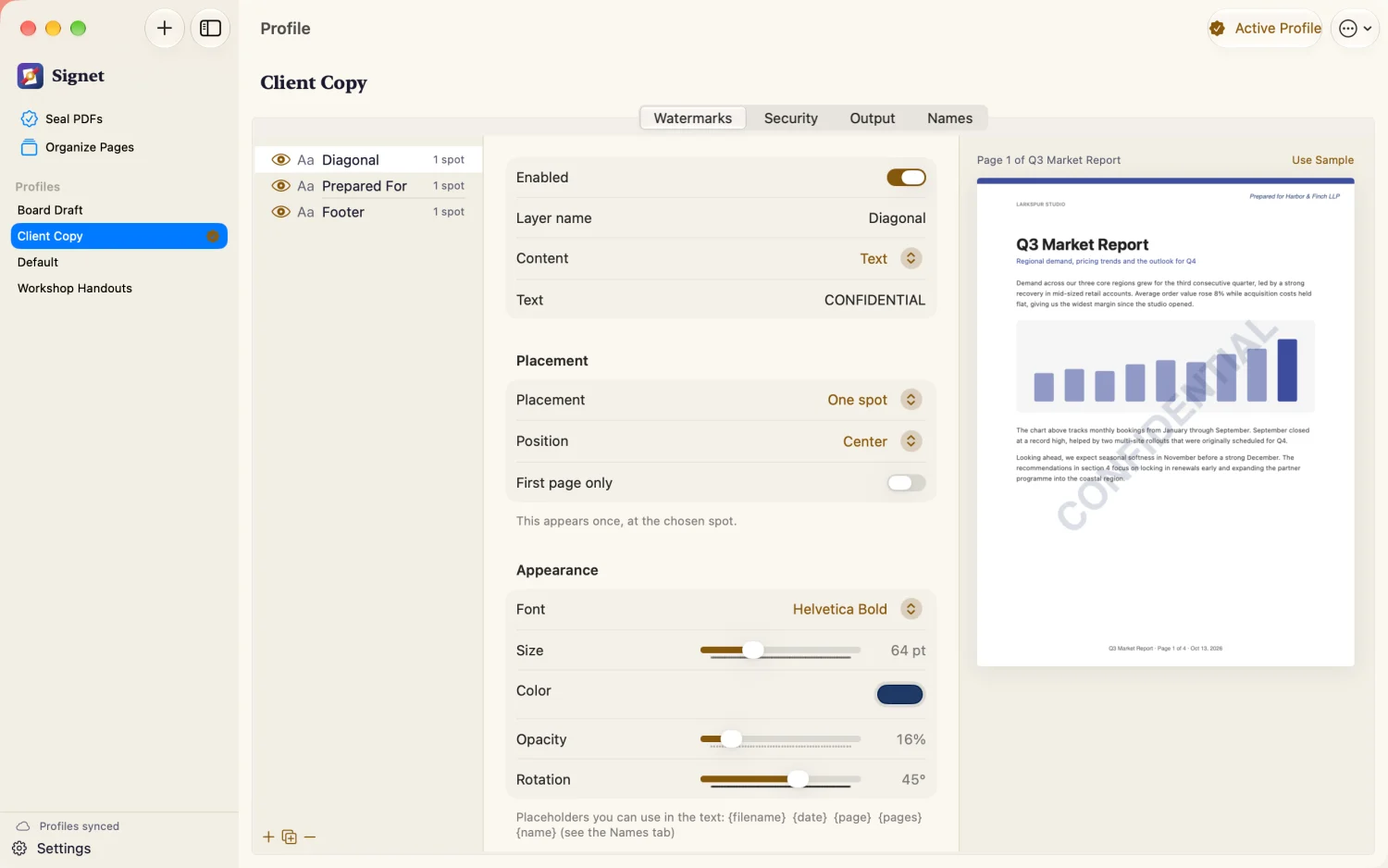
Text or your own logo/image — mix as many layers as you need in one profile
Precise placement: nine anchor points, a custom position, or a tiled pattern across the whole page
Font, size, color, rotation, and opacity, all independently adjustable
Apply once, on the first page only, or repeat everywhere
See it before you seal it
A live preview shows exactly where every watermark lands, on a sample page or page one of your own PDF, and updates as you adjust it. Signet follows your Mac's light or dark appearance, or you can pick one in Settings.
Lock down PDF permissions
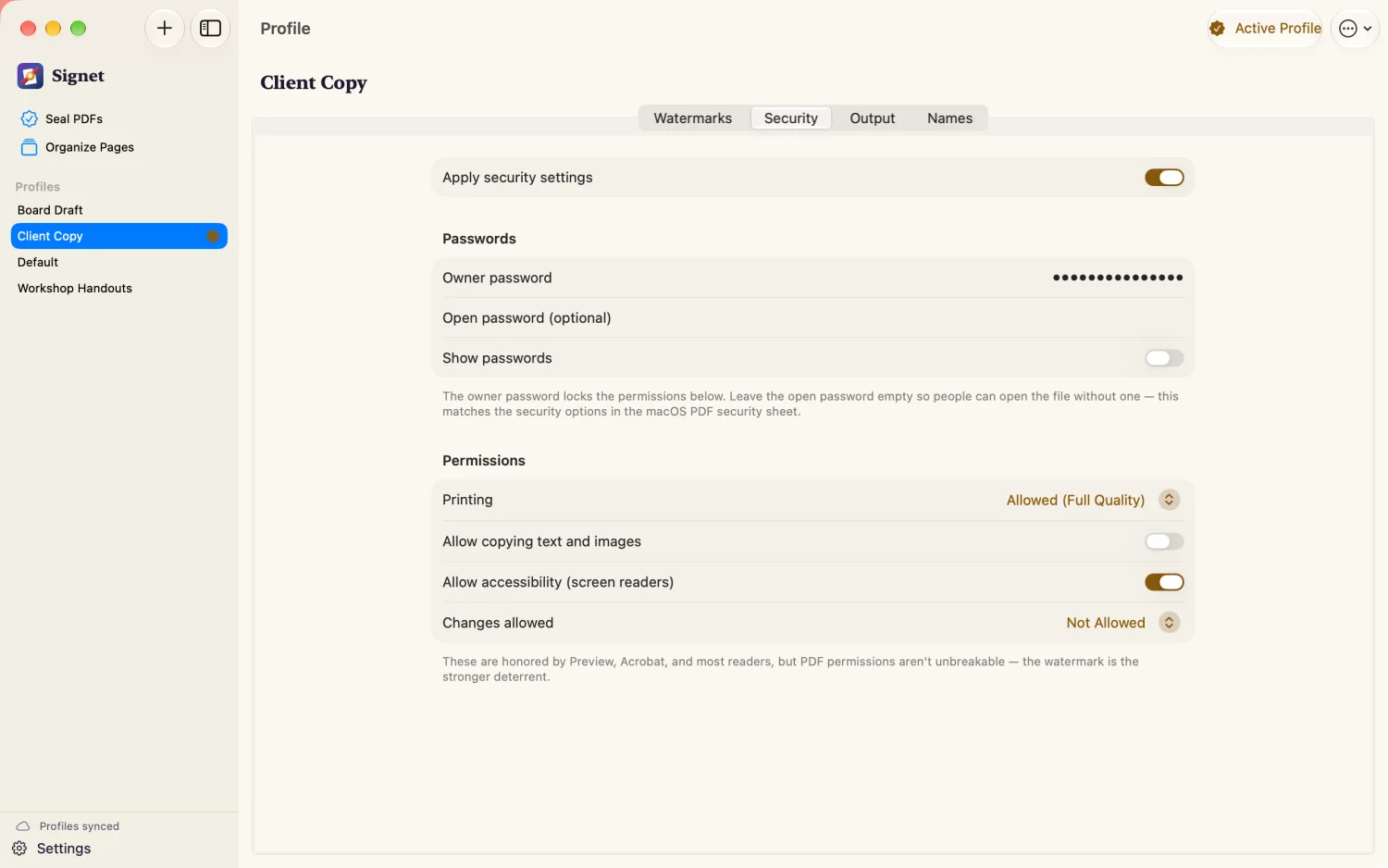
Set an owner password and control printing, copying, editing, and accessibility — the same permission model as the macOS Preview security sheet, so if you know Preview, you already know Signet.
Profiles for repeatable workflows
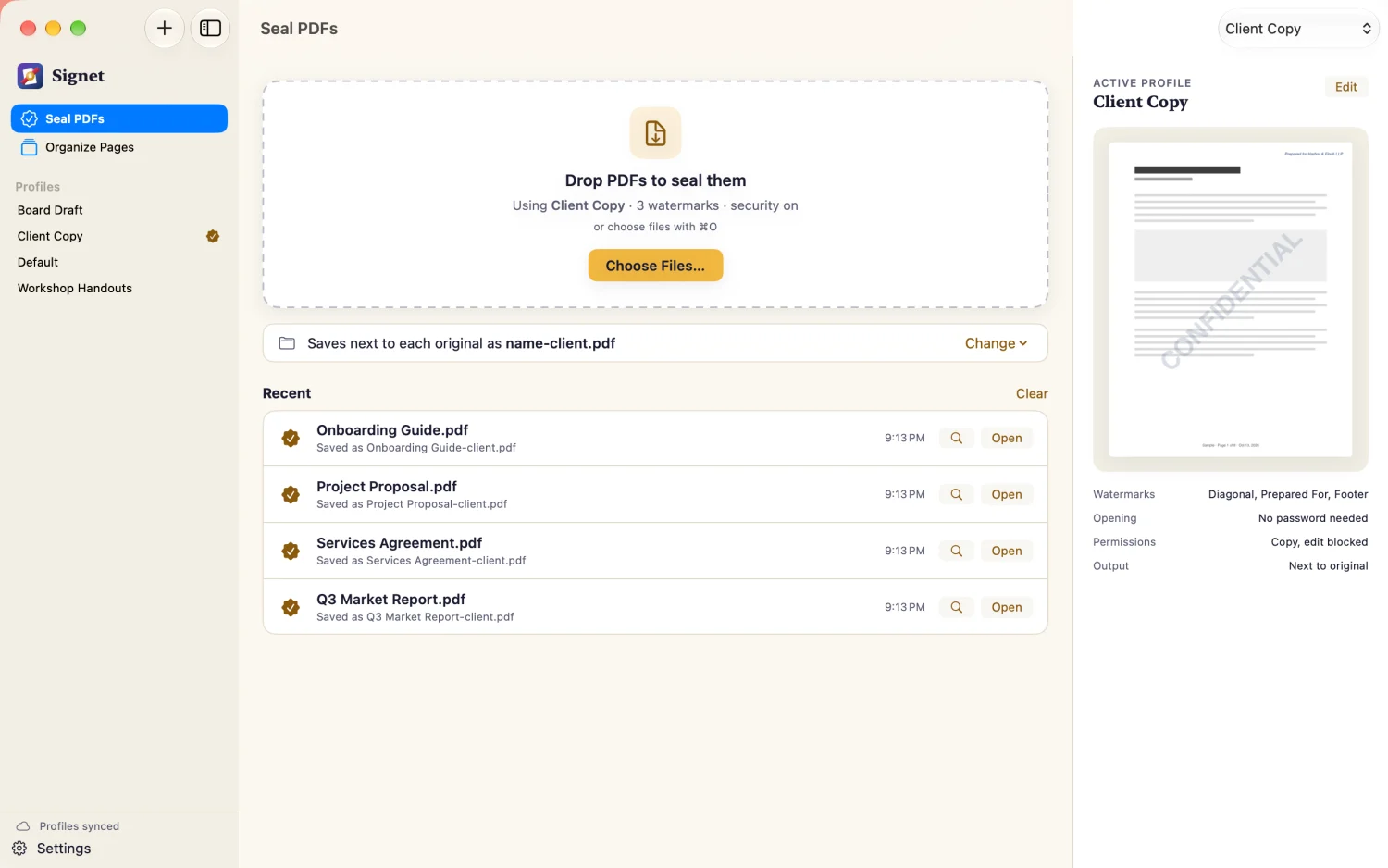
Save any combination of watermarks, security settings, and output preferences as a named profile. Switch between them instantly — a "Confidential" profile for internal drafts, a "Client Copy" profile for anything leaving the building.
Batch personalization
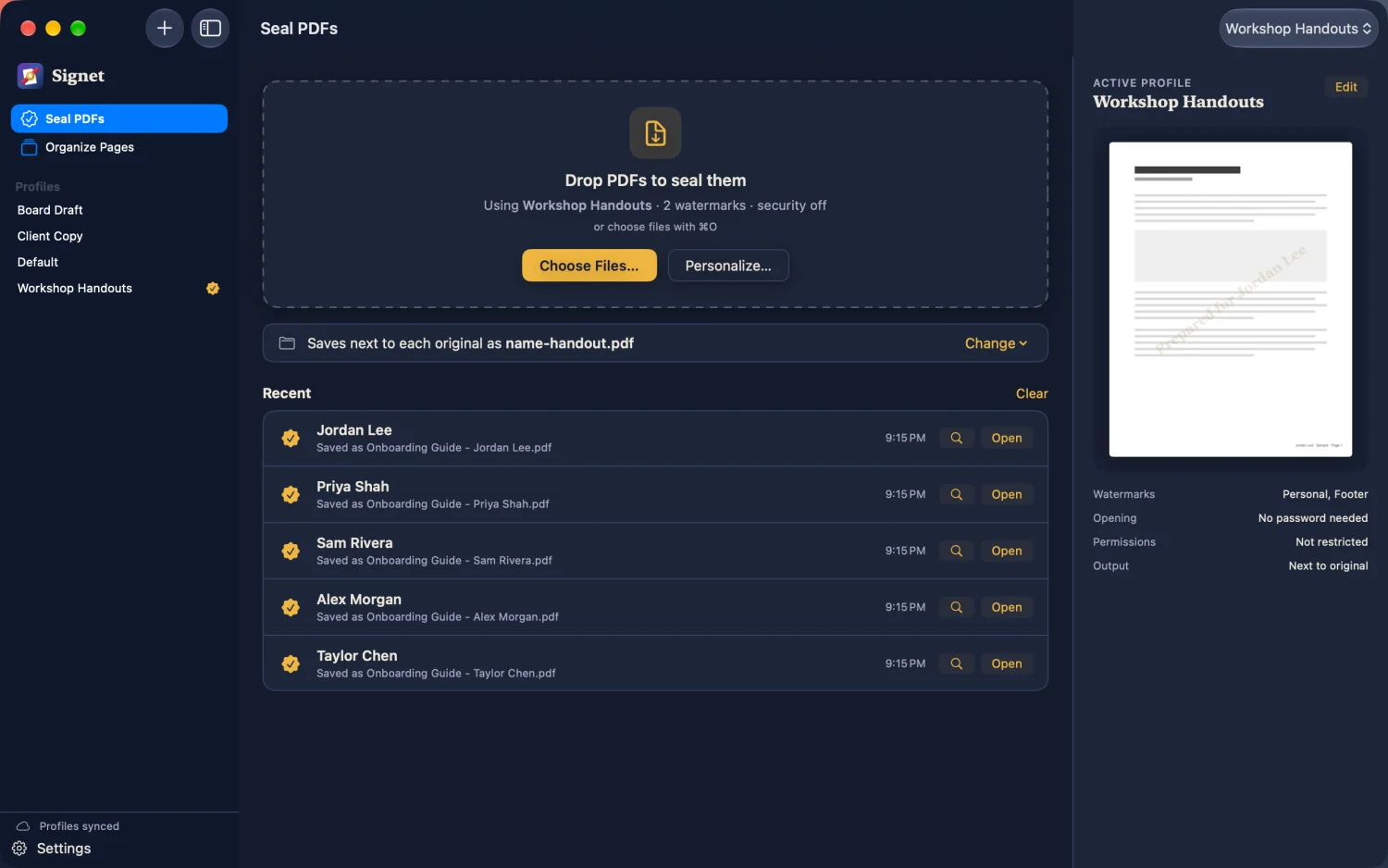
Drop in a list of names, put {name} anywhere in a watermark's text, and generate one uniquely stamped copy per name from a single source PDF — perfect for handouts, certificates, or personalized client documents.
Merge, split, and reorder pages
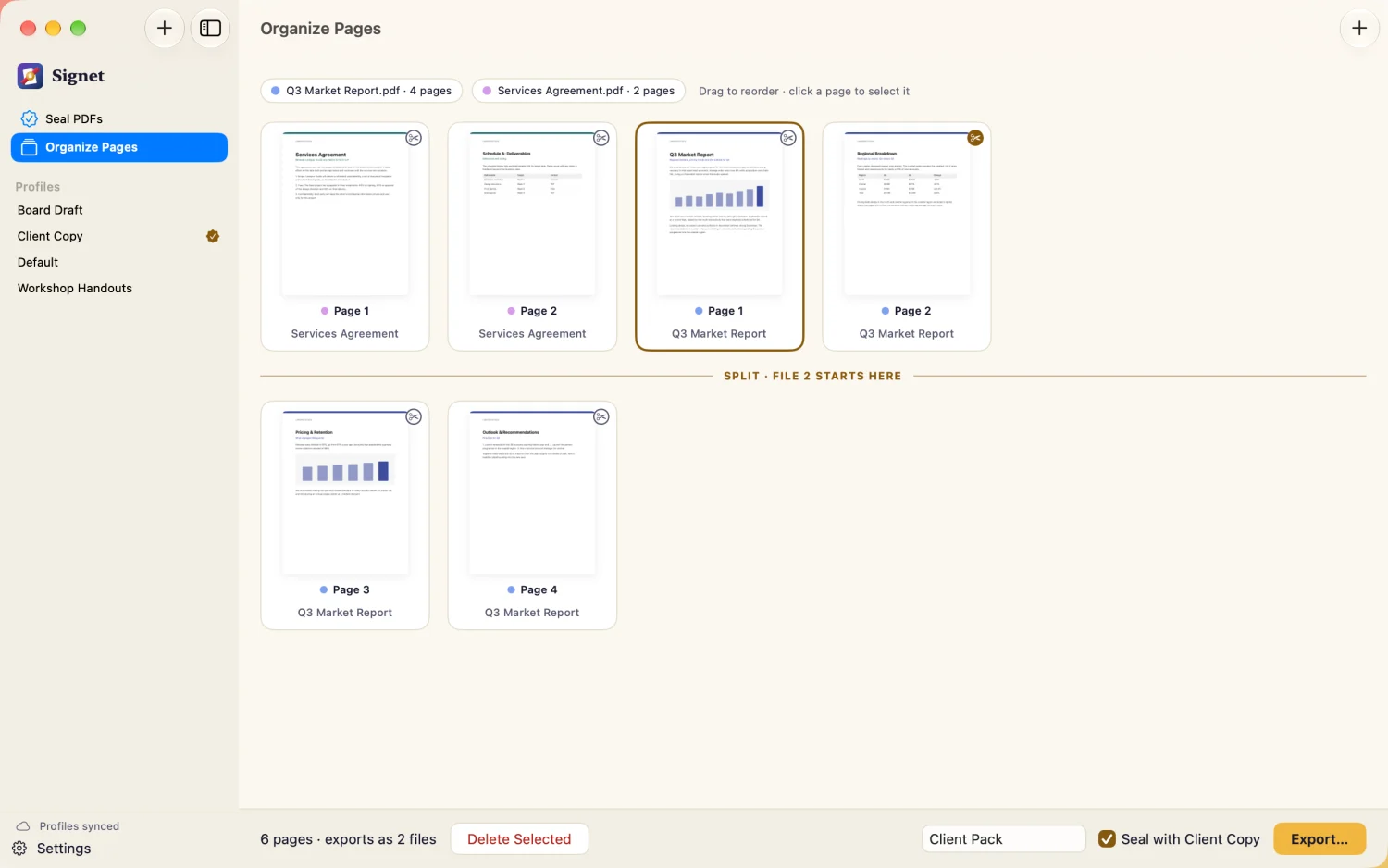
Combine pages from multiple PDFs into one, split a single PDF into several, and drag pages into any order you like, right in Signet's main window — and seal the results the moment they're exported, with no separate app needed before or after watermarking.
Works with Shortcuts
"Seal PDFs with Signet" is a full Shortcuts action, so you can watermark and secure PDFs as one step in a bigger automation — after a scan lands in a folder, before an email goes out, or however you already work.
Document metadata, your way
Set title, author, subject, keywords, creator, and producer on the way out — or leave any field blank to keep what the original PDF already has.
Works the way you do
Drag files onto the app or its Dock icon, or use the Choose Files button — whatever's fastest. Point Signet at a synced folder (iCloud Drive, Dropbox, or similar) to share your profiles across every Mac you use.
Signet respects the PDF you started with: tagged accessibility structure, outlines, and interactive form fields are all preserved, because a watermark shouldn't cost you the rest of the document.
Screenshots
See Signet at work.
Watermark layers
Passwords & permissions
Organize pages
Batch personalization, in dark mode
Common questions
Good to know before you buy.
Does Signet upload my documents anywhere?
No. All processing happens on your Mac, and Signet makes no network requests of its own. See the privacy policy.
Will watermarking flatten or rasterize my PDF?
No. Watermarks are added as real vector content. Text stays sharp, searchable, and selectable, and links, outlines, and form fields are preserved.
How do I share profiles between two Macs?
Turn on profile sync in Settings and point Signet at a folder inside iCloud Drive, Dropbox, or a similar synced location. Each Mac reads profiles from that same folder.
Why does Signet ask for access to a folder?
macOS keeps Mac App Store apps in a sandbox, so Signet has to ask once for each folder it saves sealed files into. Choose a parent folder like Documents and you'll be asked far less often. You can see and remove these folders any time in Settings under Folder Access.
How does batch personalization work?
Add a list of names, place {name} anywhere in a watermark's text, and Signet generates one uniquely stamped copy per name from a single source PDF.
I forgot the owner password I set on a PDF.
Signet cannot recover it. Owner passwords are stored in the PDF itself, not by Signet. Keep the unprotected original and re-export.