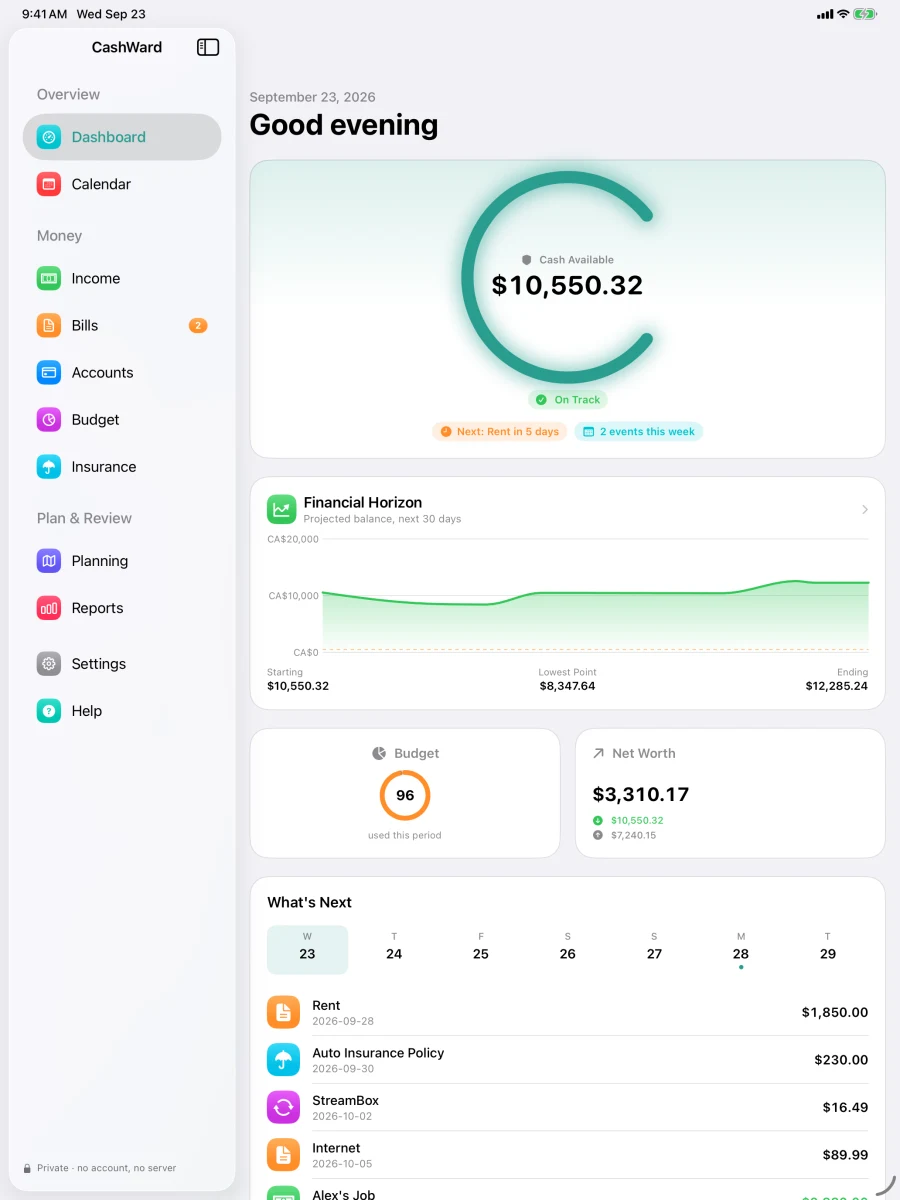
A planning-first money app for Canadians. Enter your accounts, income, bills, and insurance once, and CashWard shows where your balance is headed — weeks before it gets there.
CashWard helps you understand where your money is headed — and gives you time to do something about it.
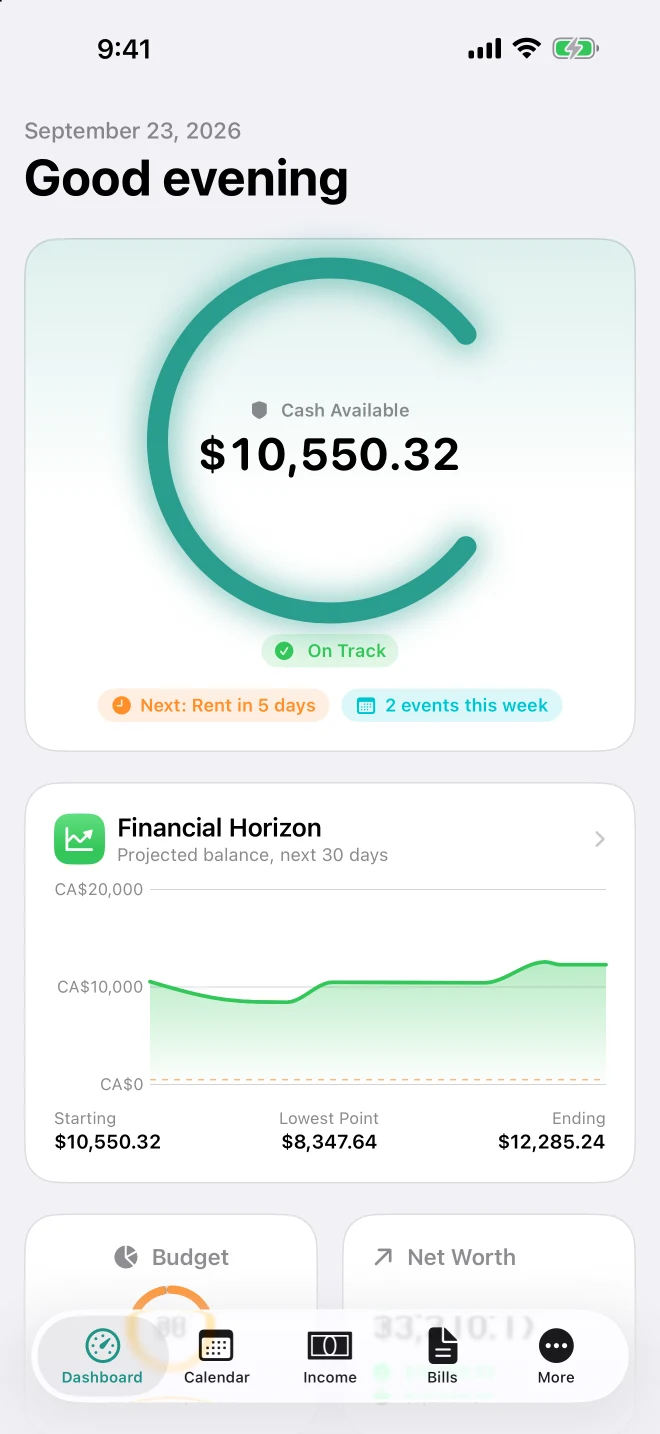
Most budgeting apps look backward at what you already spent. CashWard looks forward — projecting your balance day by day, with every bill, salary payday, and insurance premium already factored in, so a tight week is visible weeks before it arrives.
No accountNo bank connectionNo trackingWorks offline
Features
Planning-first, built for how Canadians actually get paid.
Financial Horizon
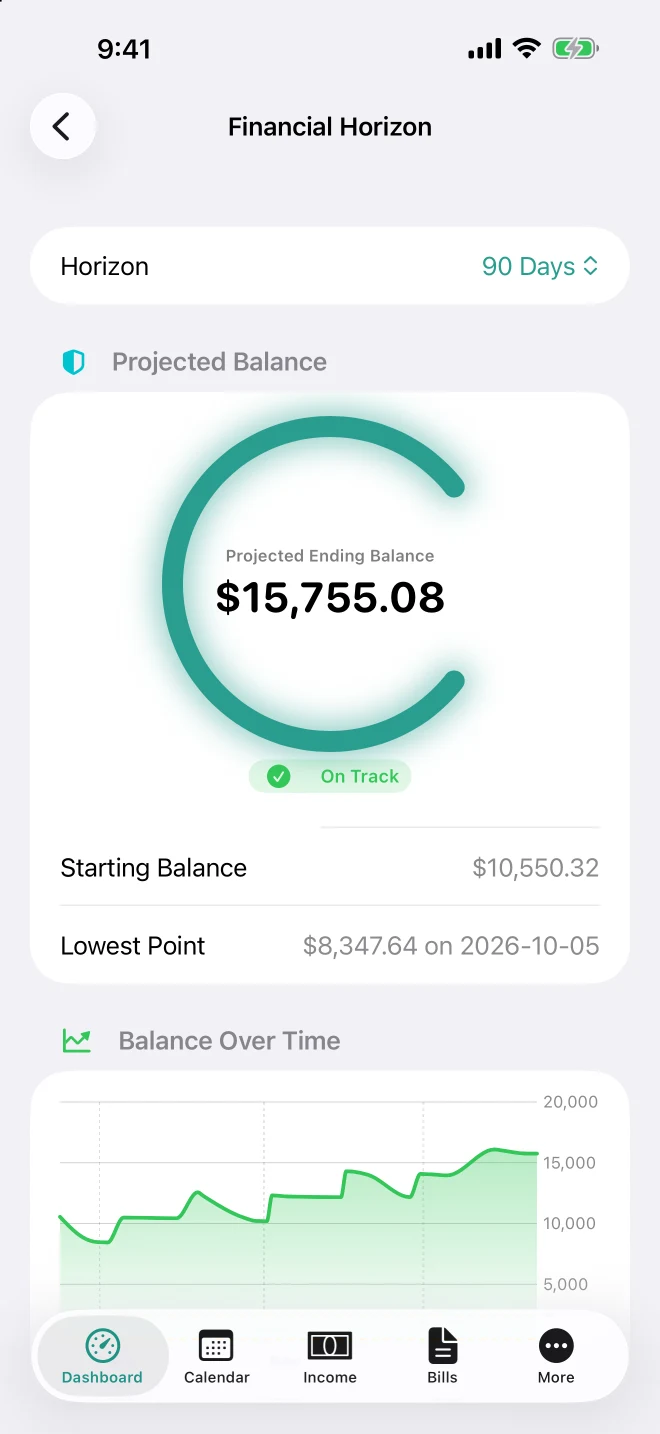
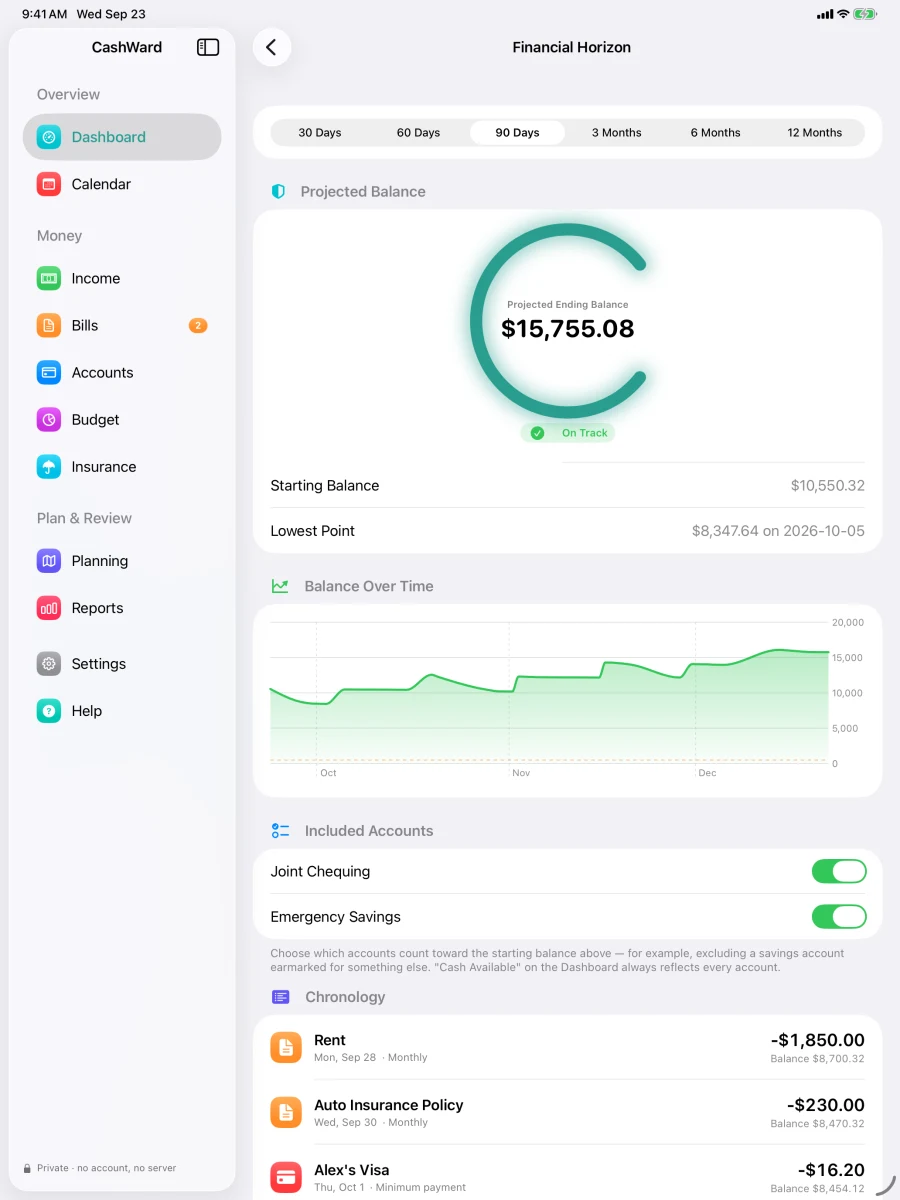
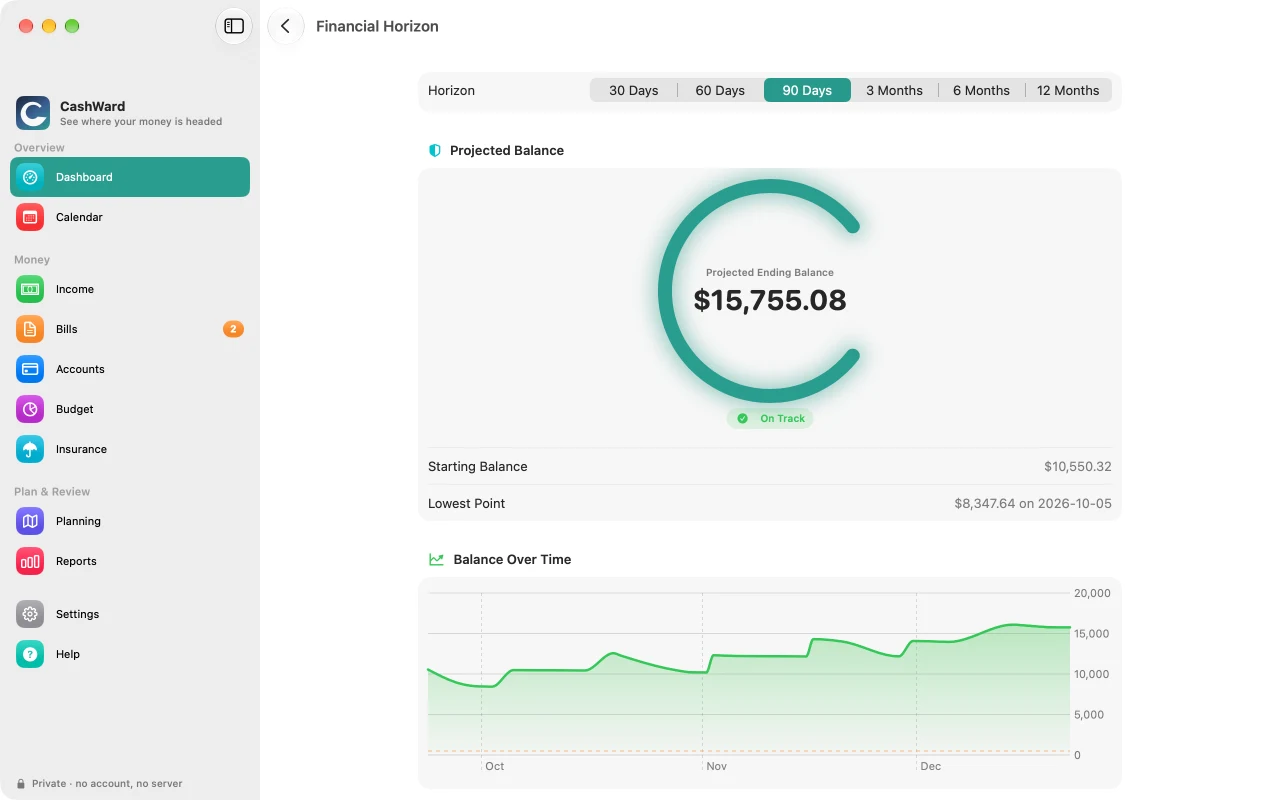
See your projected balance from today forward — 30 days, 90 days, or a full year — with every salary payday, bill, subscription renewal, insurance premium, and debt payment already factored in. CashWard tells you when and why your balance would dip below your own safety threshold, so a rough patch is a heads-up, not a surprise. (Hourly and one-off income appear in Income and the calendar but aren't in the forecast yet.)
Built for real income
Salary, hourly shifts, contract work, or several at once — for everyone in your household. Hourly weeks and date-bounded contracts follow the hours you actually schedule, with time off you can zero out week by week and Ontario statutory holidays taken off automatically, instead of a single monthly average.
Canadian payroll and tax, done properly
Payroll estimates come from the CRA's own published T4127 formulas — federal and provincial tax, CPP/CPP2, and EI. A combined Tax Position screen brings every income source together into one projected annual result, so you know well before filing season whether you're on track. Quebec payroll isn't supported yet, and CashWard says so plainly rather than guessing.
Insurance, tracked properly
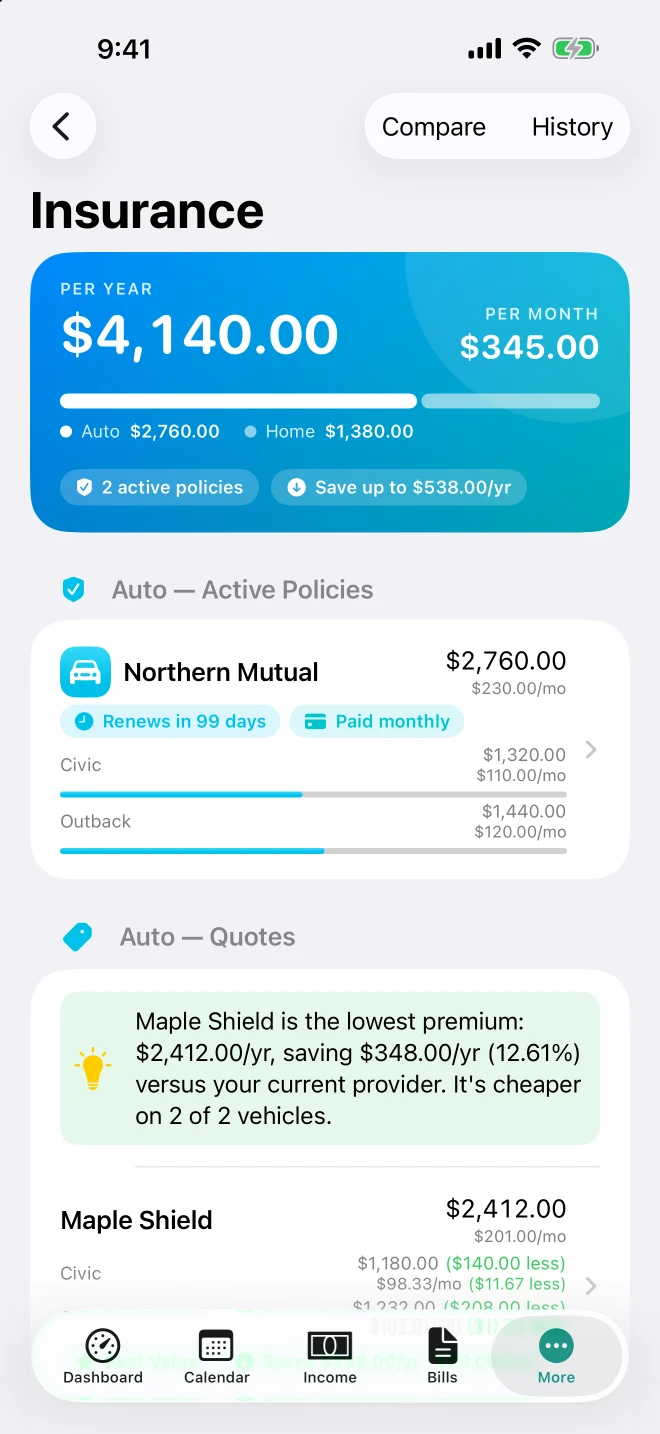
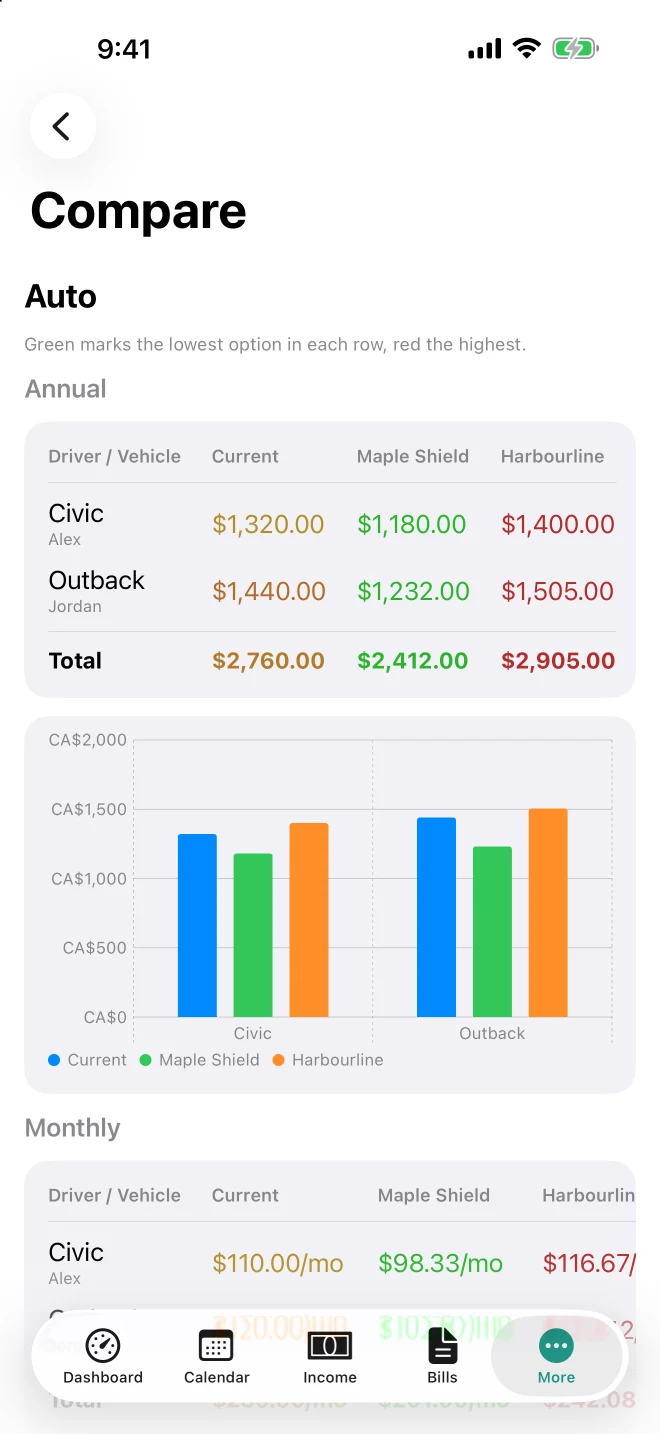
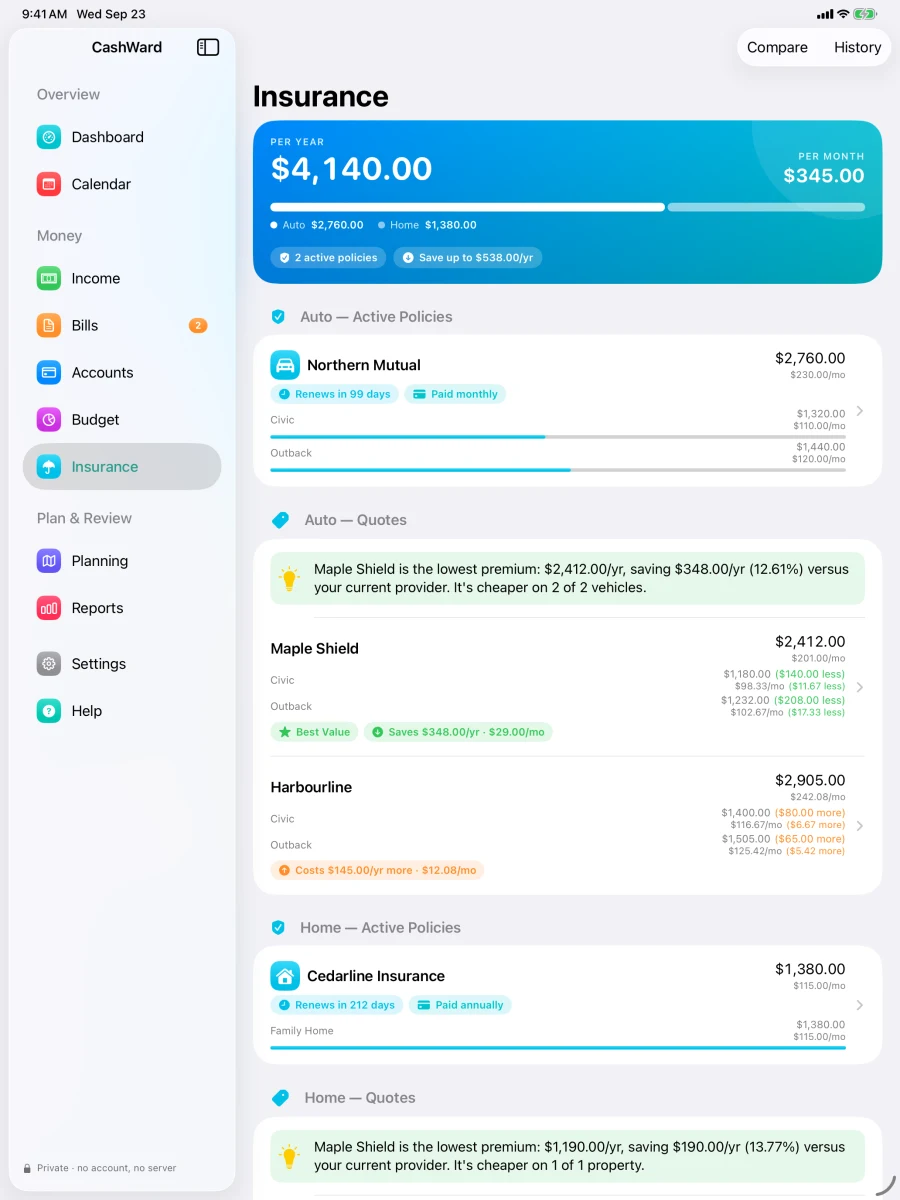
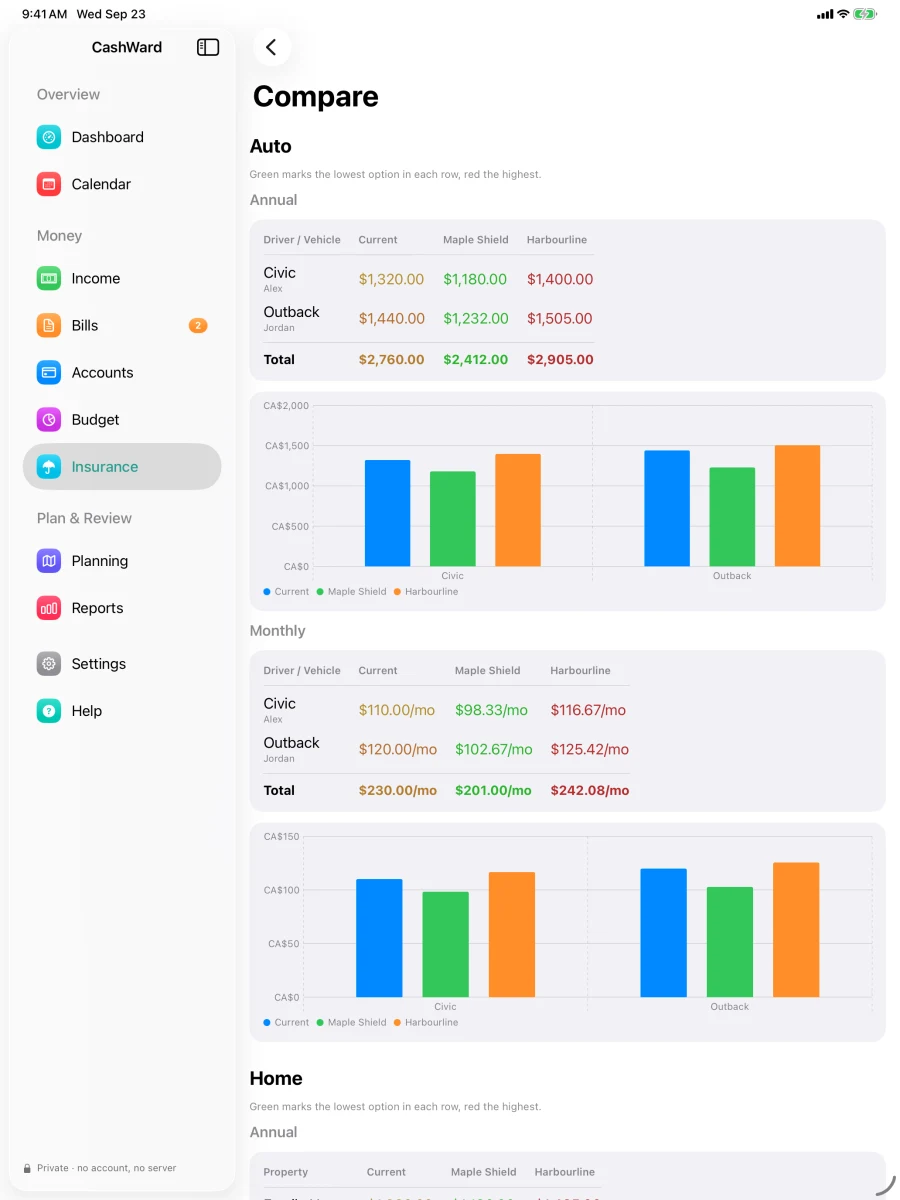
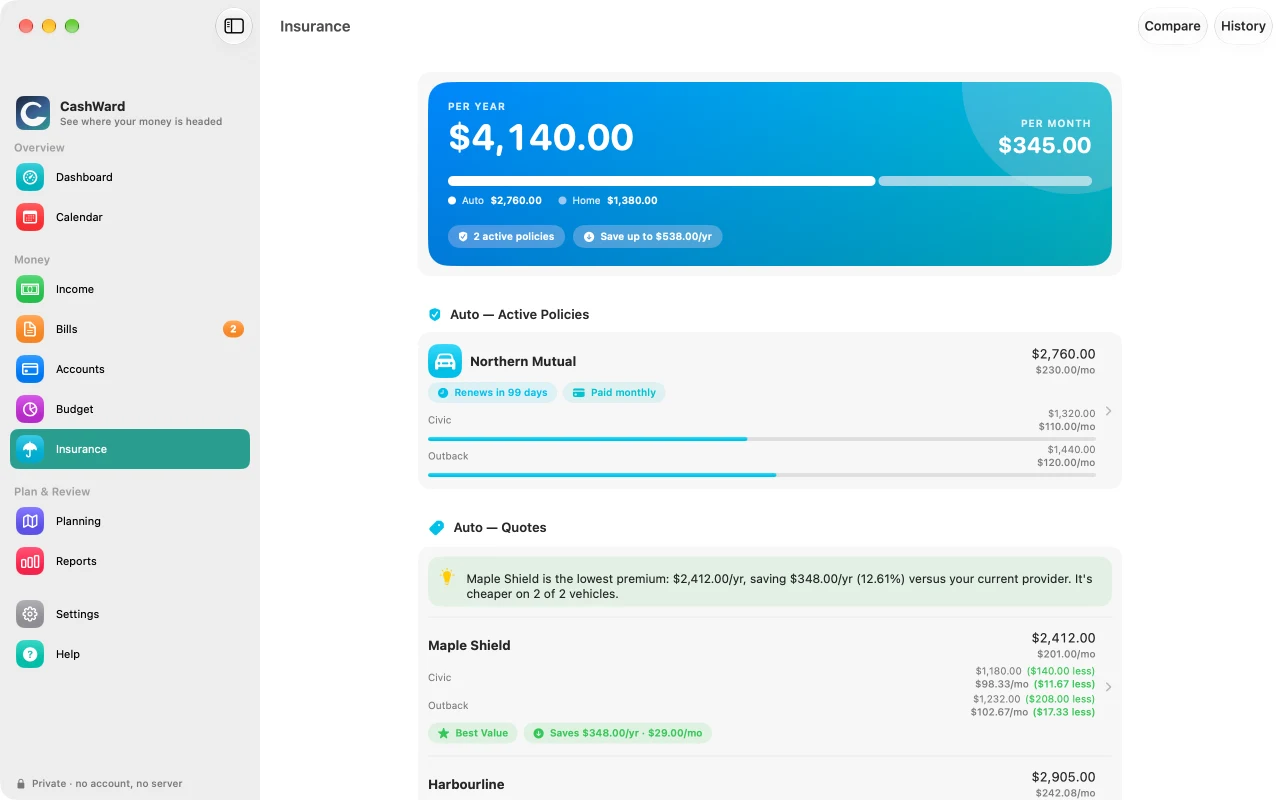
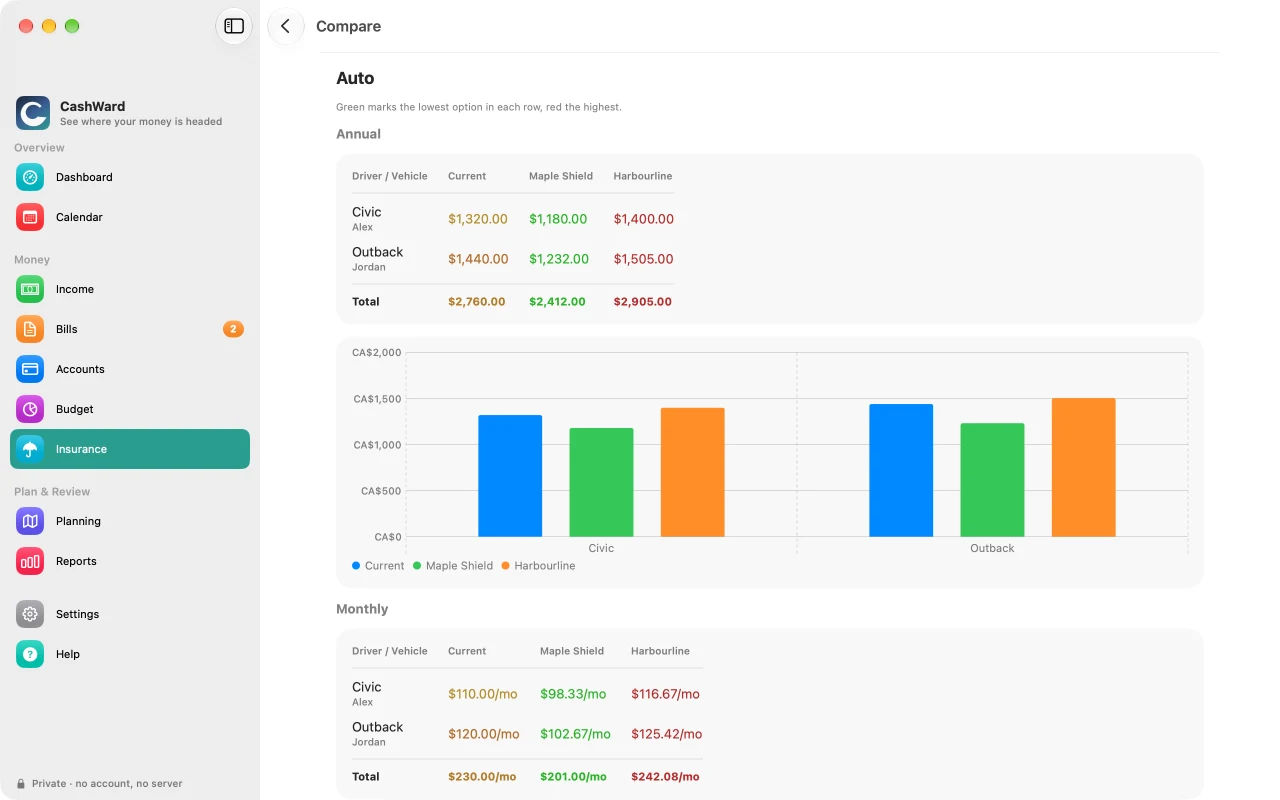
Keep your auto and home policies in one place and see what you pay — per year and per month. Enter a competing quote and CashWard compares it vehicle by vehicle against what you pay now, cheapest in green and priciest in red, annual and monthly, so you can budget it. Accept a quote today or schedule the switch for the day it starts. Every policy appears in your Bills automatically, so it's already in your forecast and calendar. CashWard doesn't fetch quotes or connect to insurers; you enter what you've been quoted.
Bills, subscriptions, and budgets
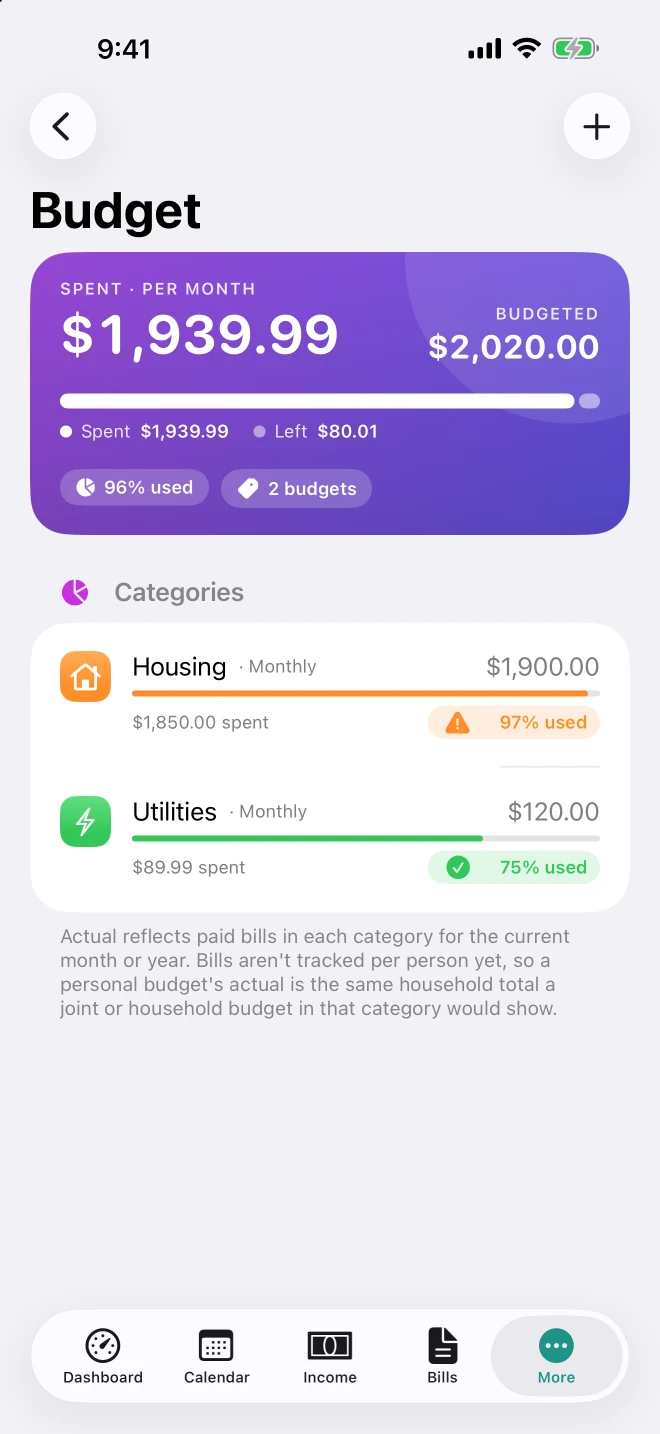
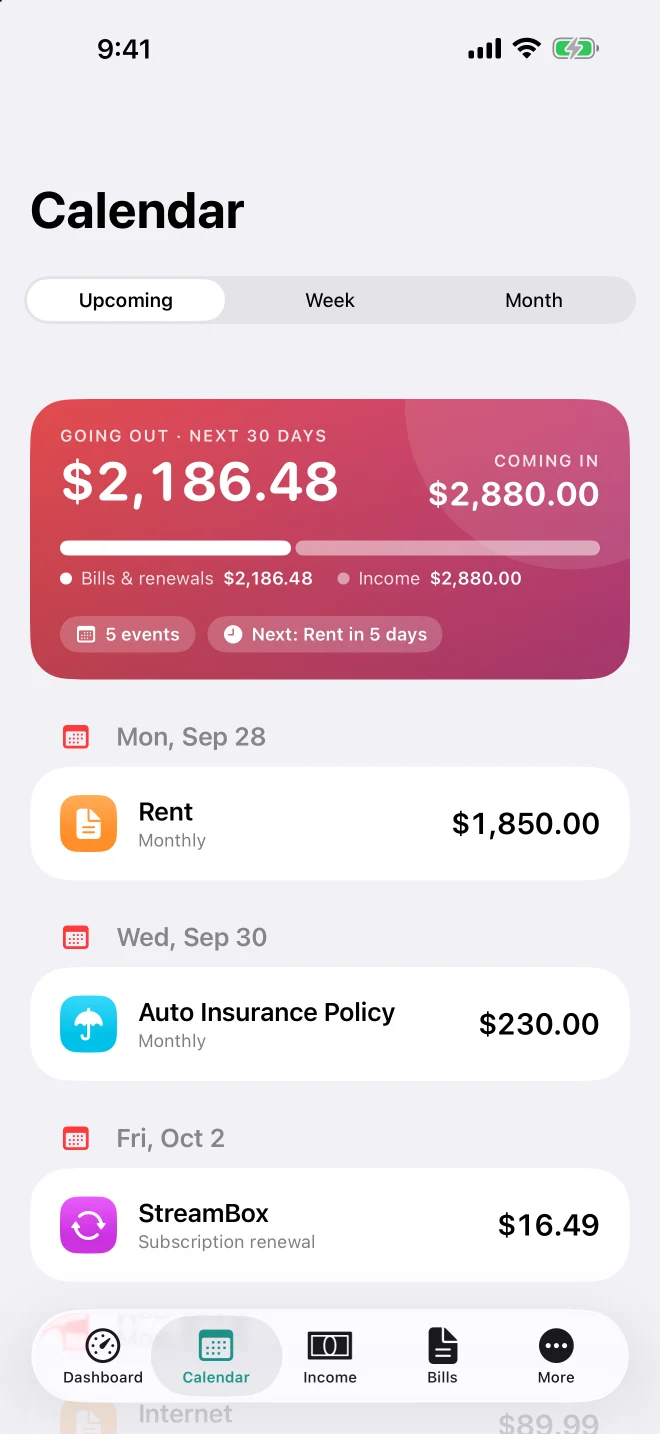
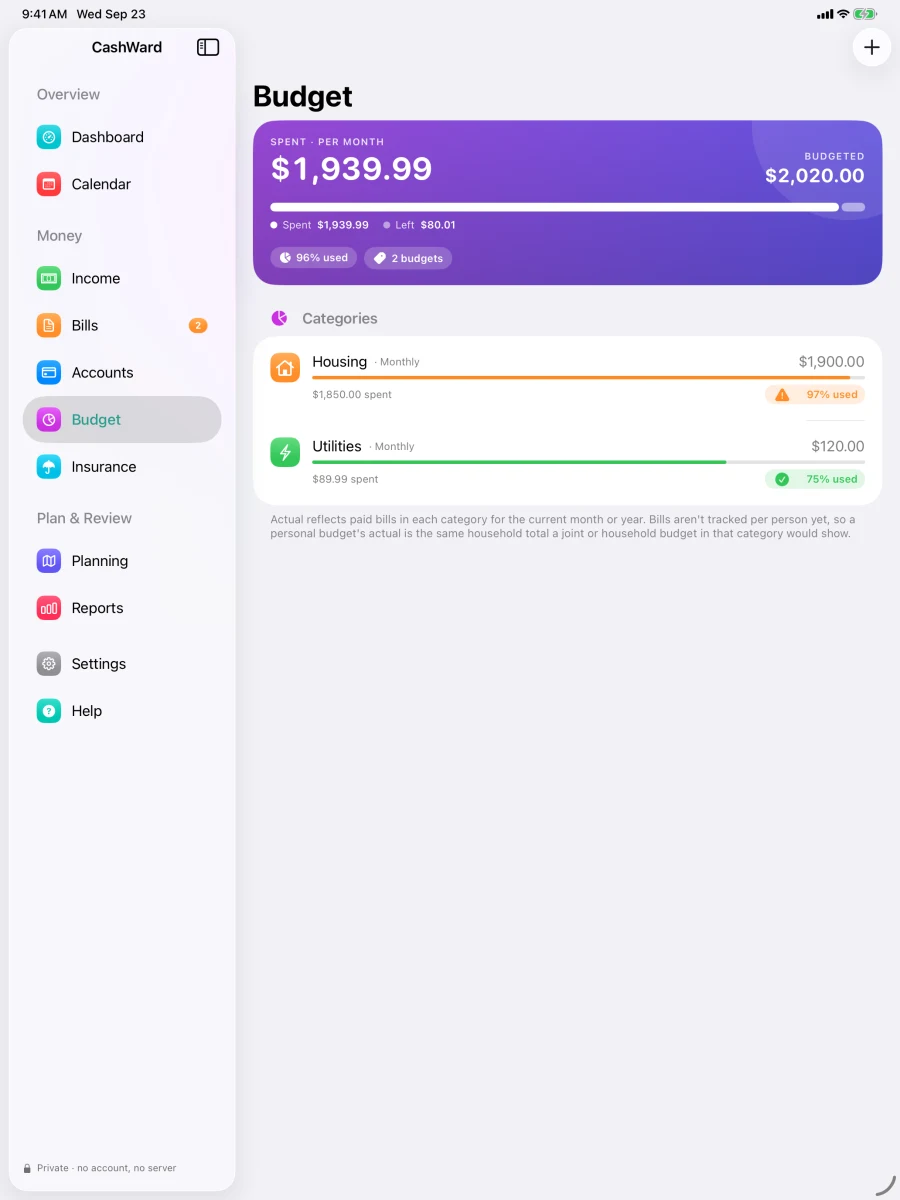
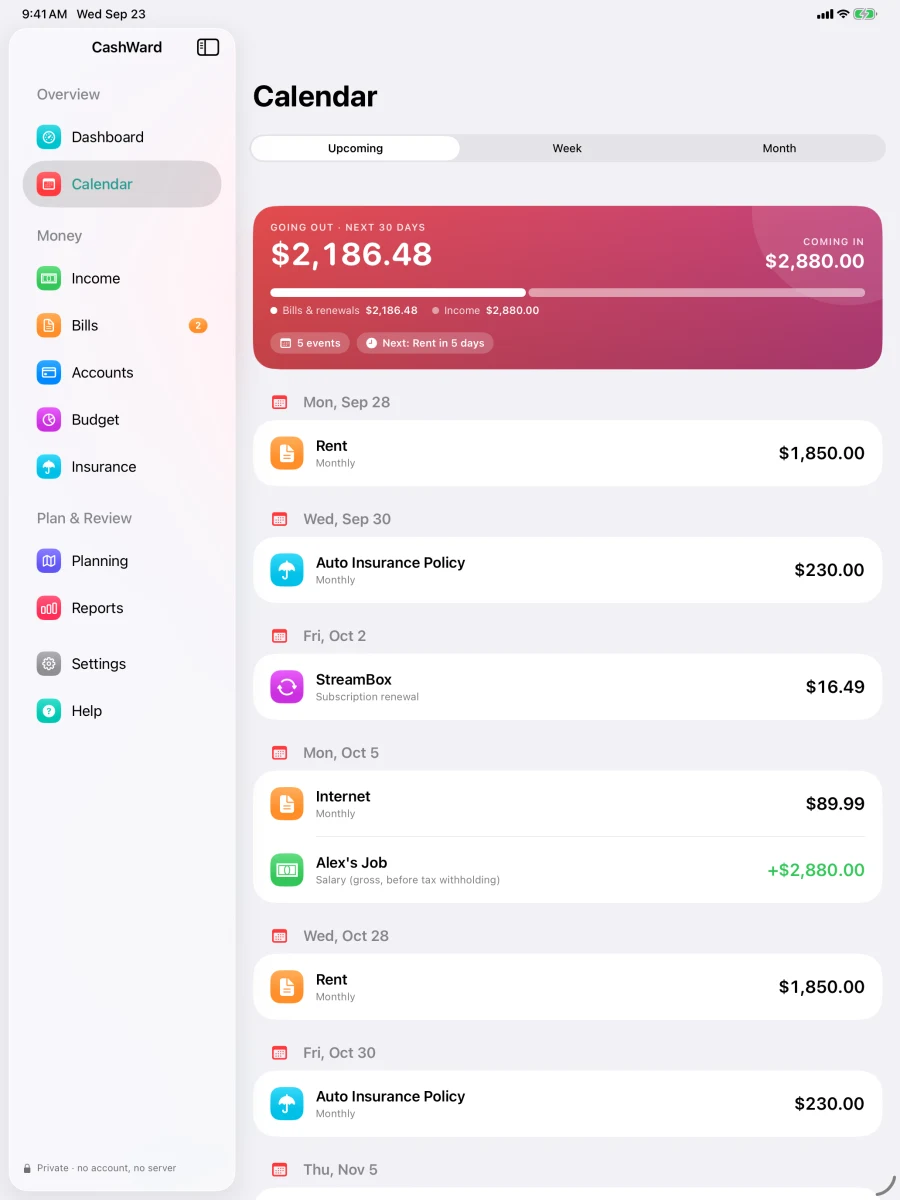
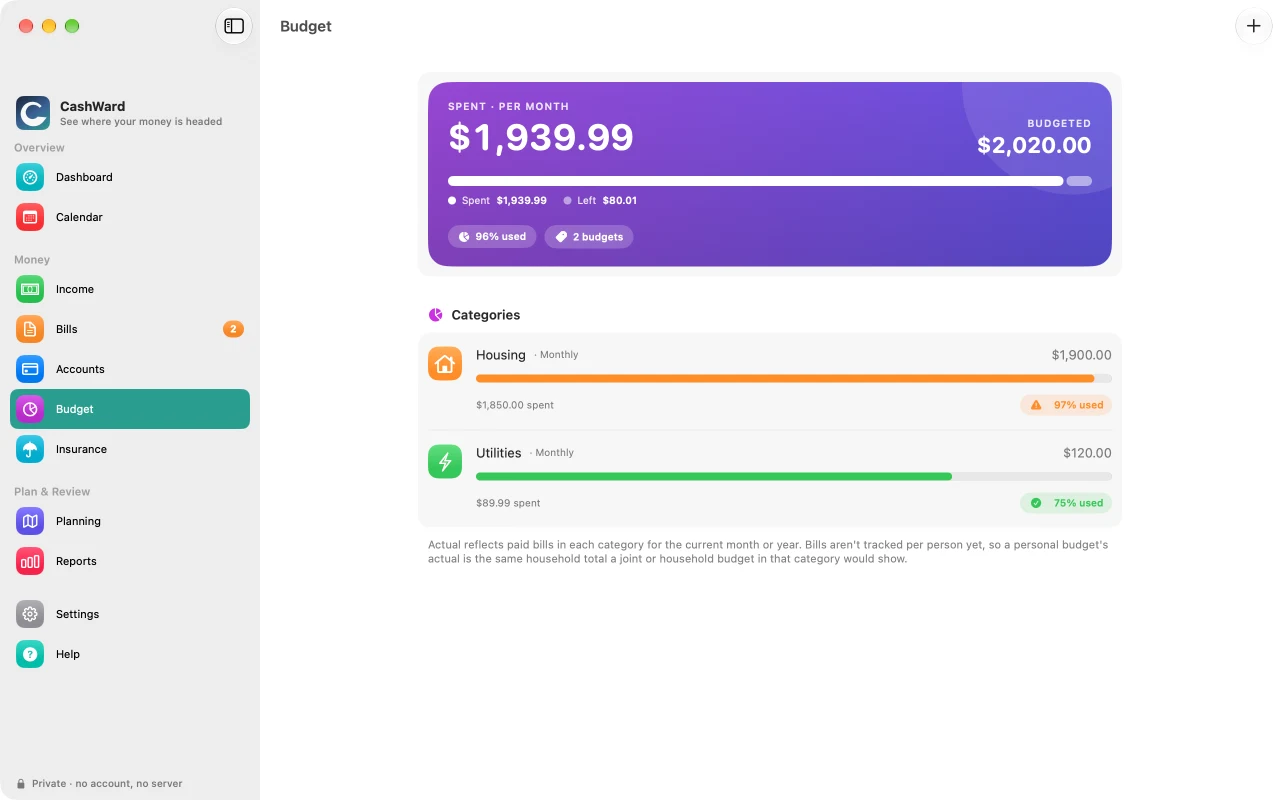
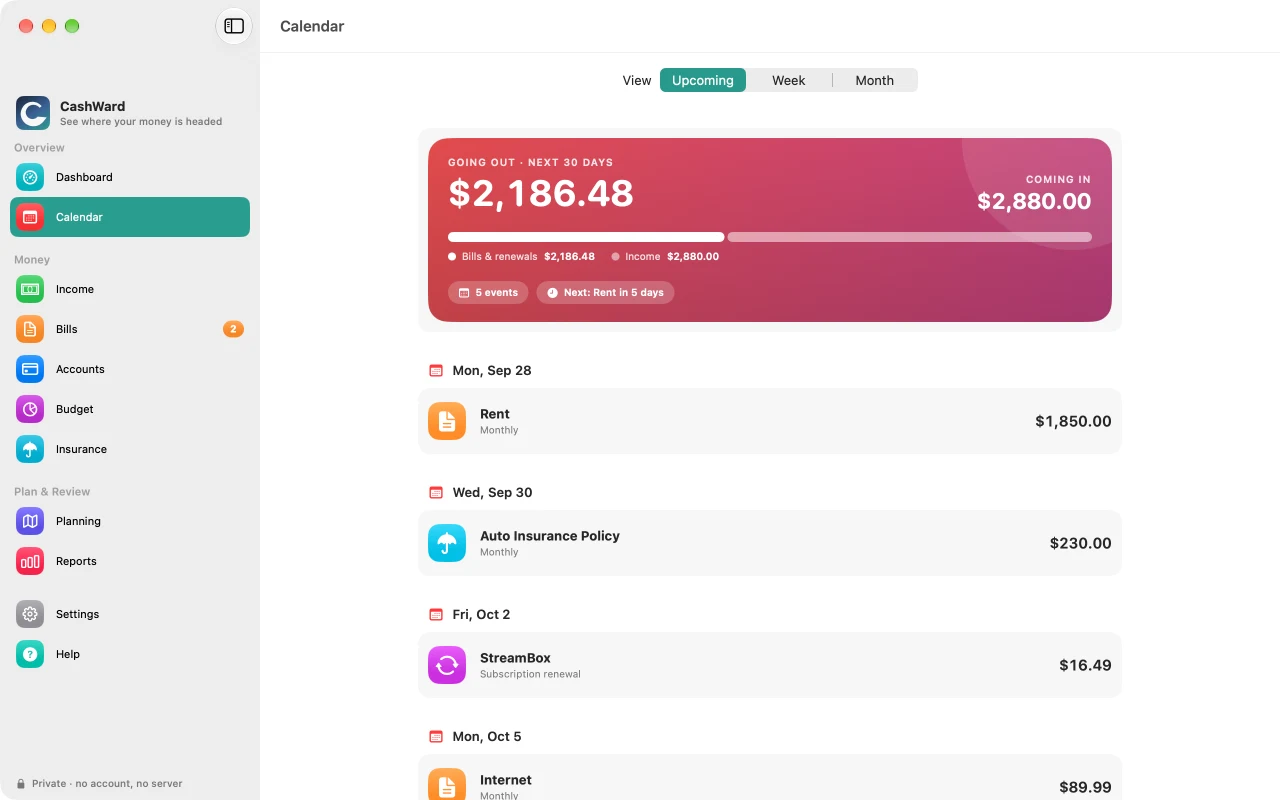
Track recurring bills and subscriptions, see them on a calendar next to your paydays, and compare budgeted against actual spending by category. Optionally send upcoming items to Apple Calendar.
Keep the paperwork with it
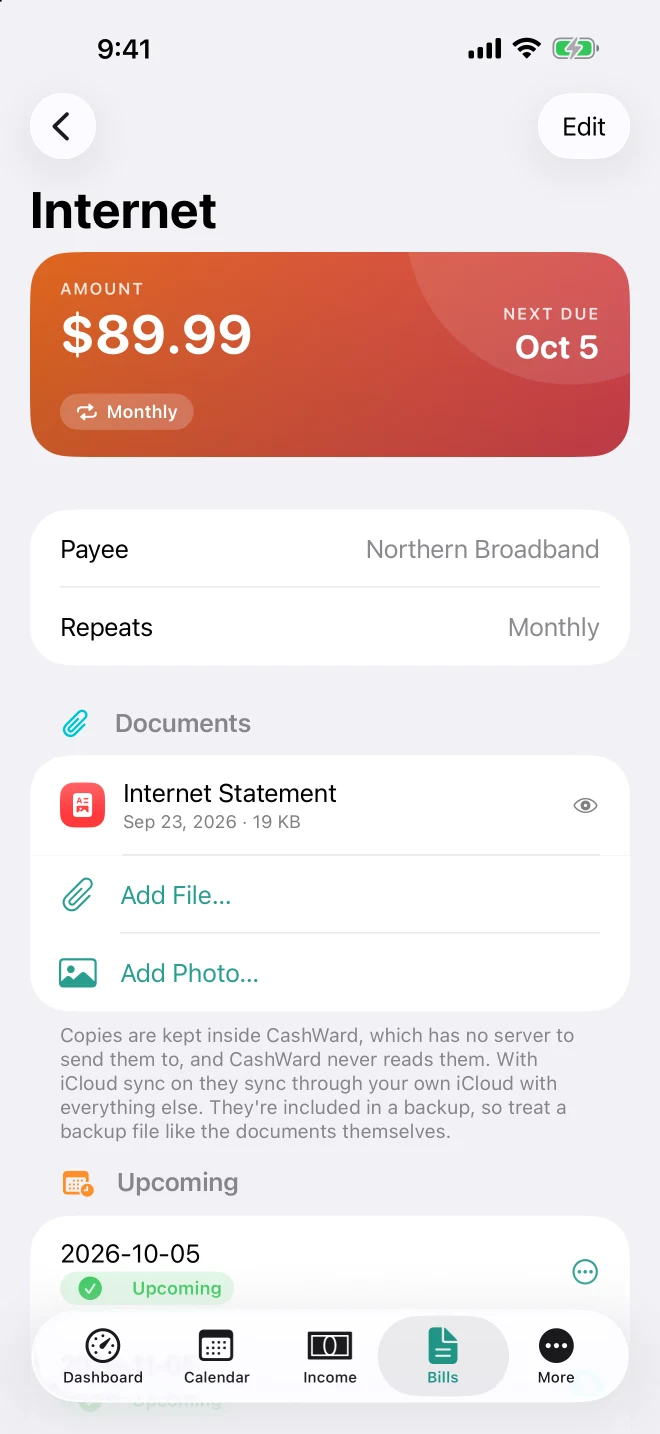
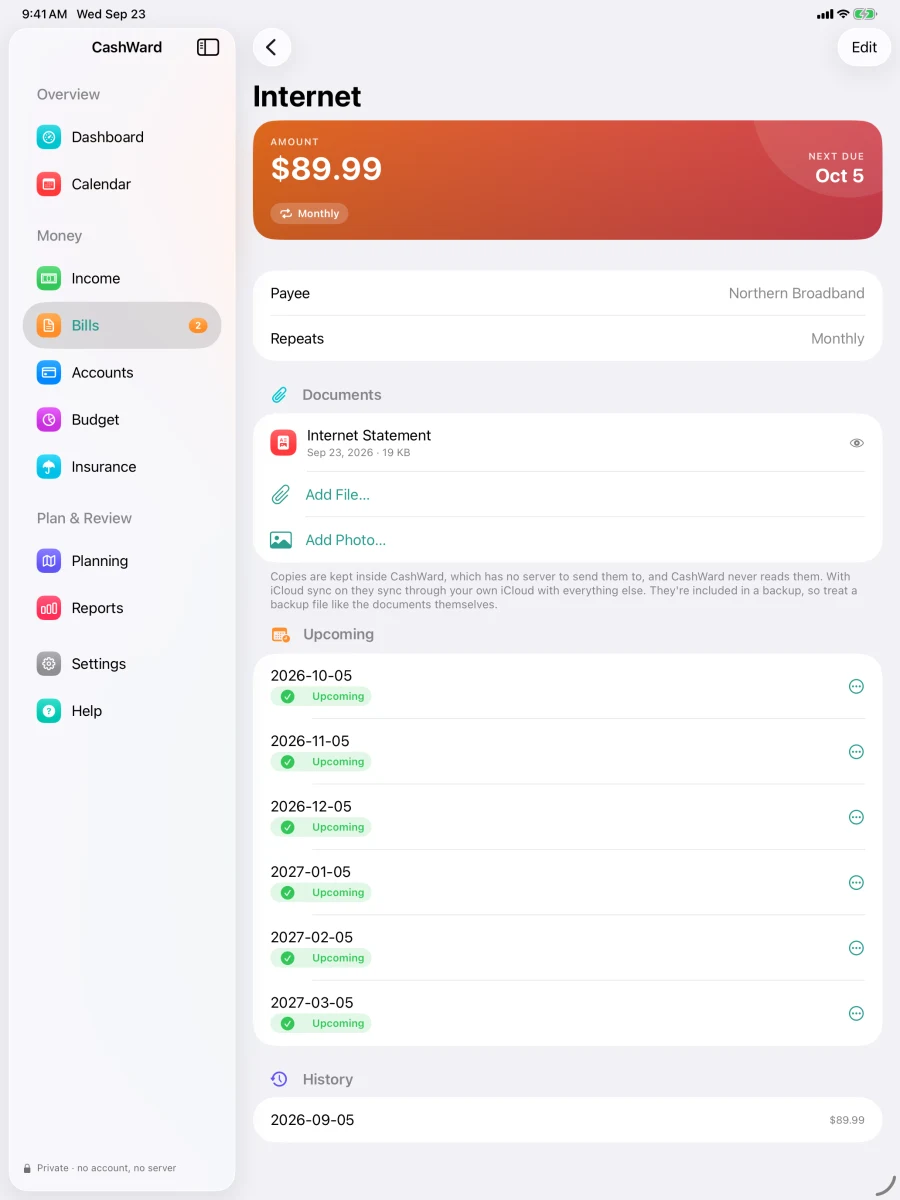
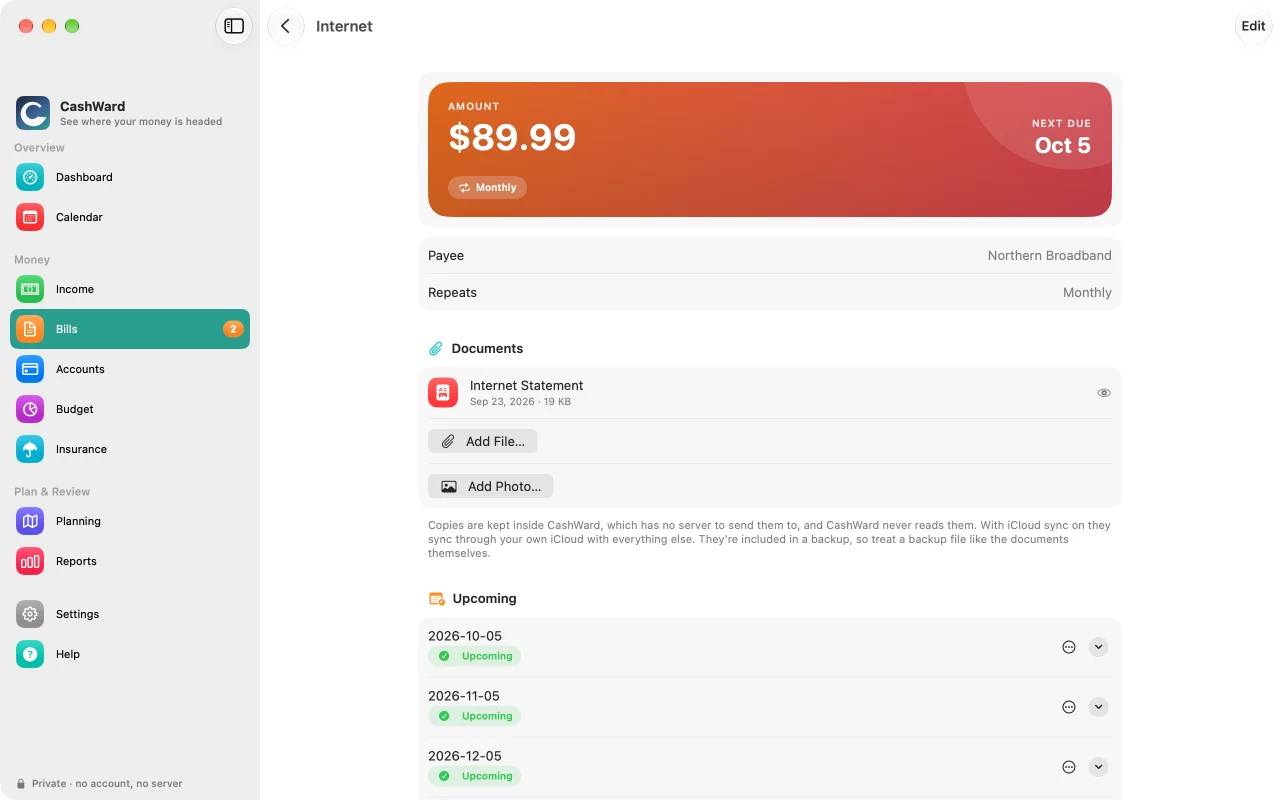
Attach a copy of a bill, statement, policy, or quote — a PDF or a photo — to the item it belongs to, and preview it in one tap. Swap in a newer copy when a new statement arrives. Copies live inside CashWard, which has no server to send them to, and CashWard never reads them.
Debt payoff planning
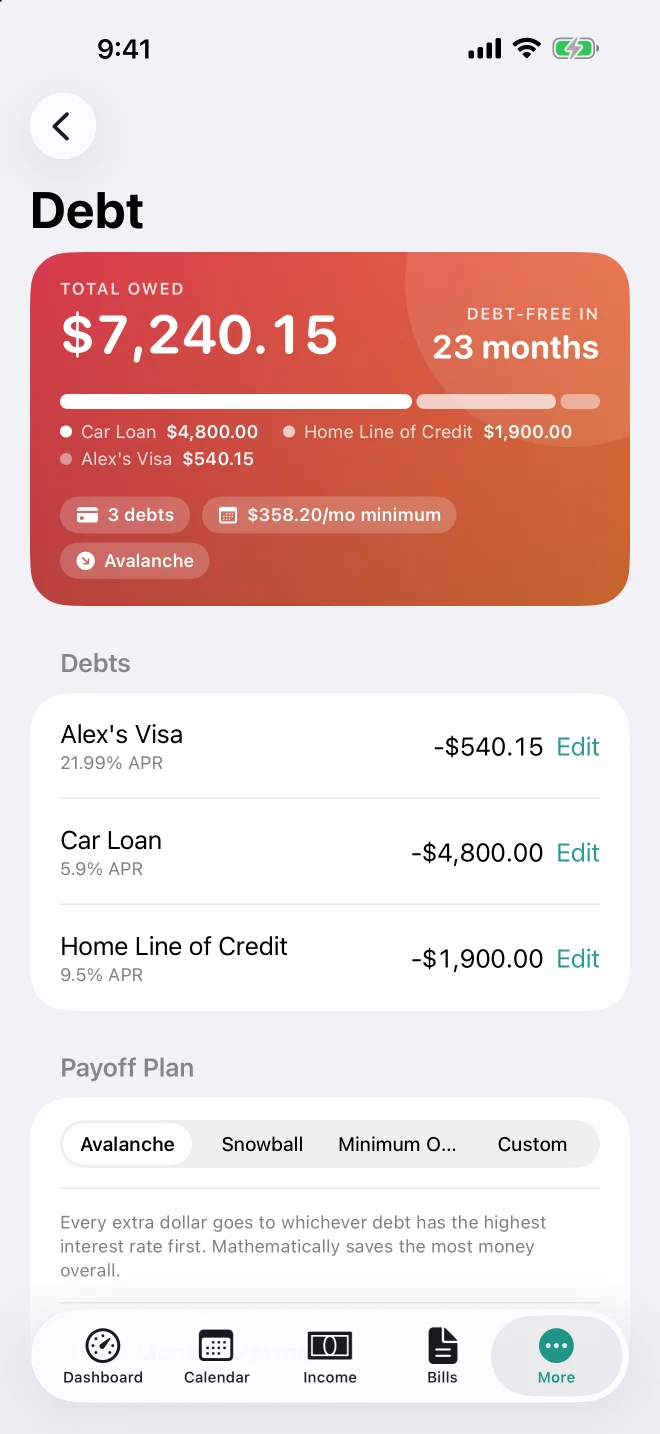
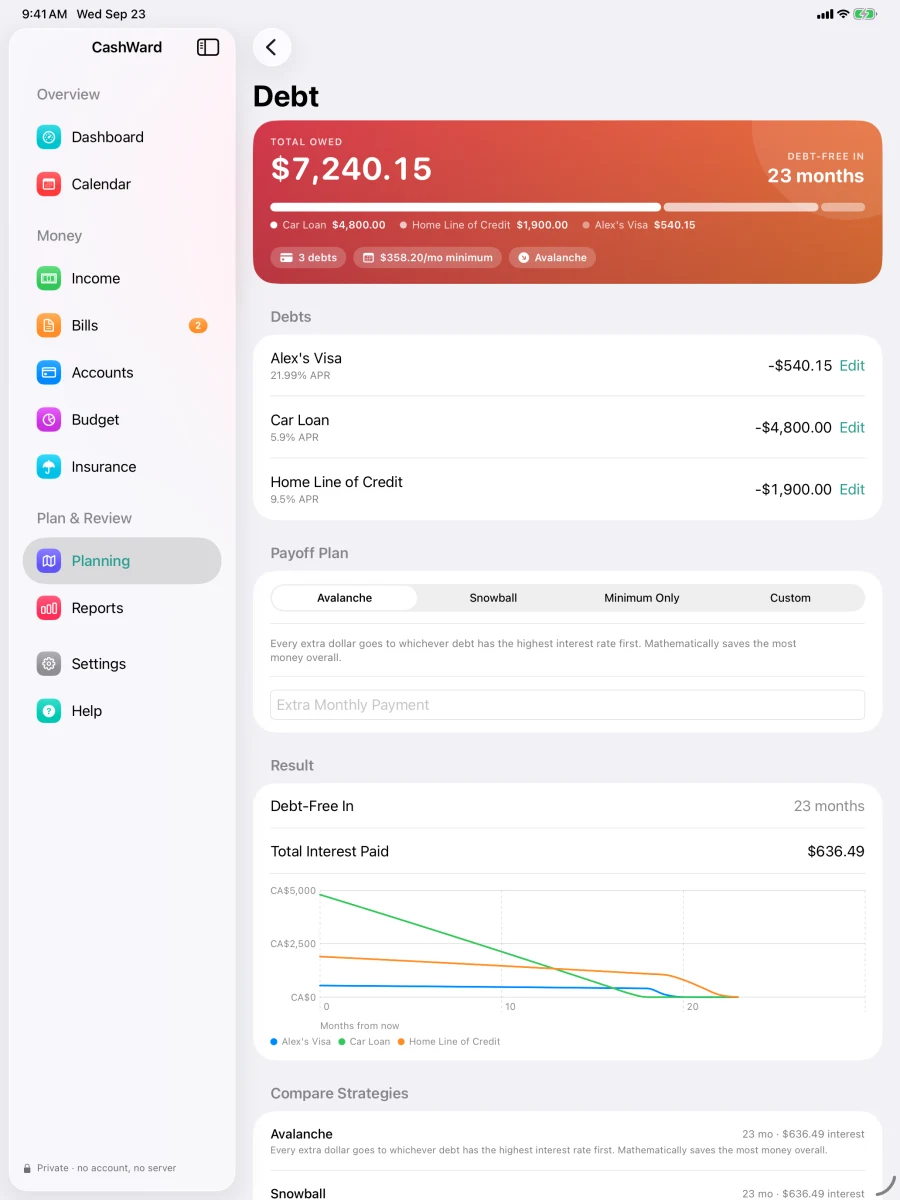
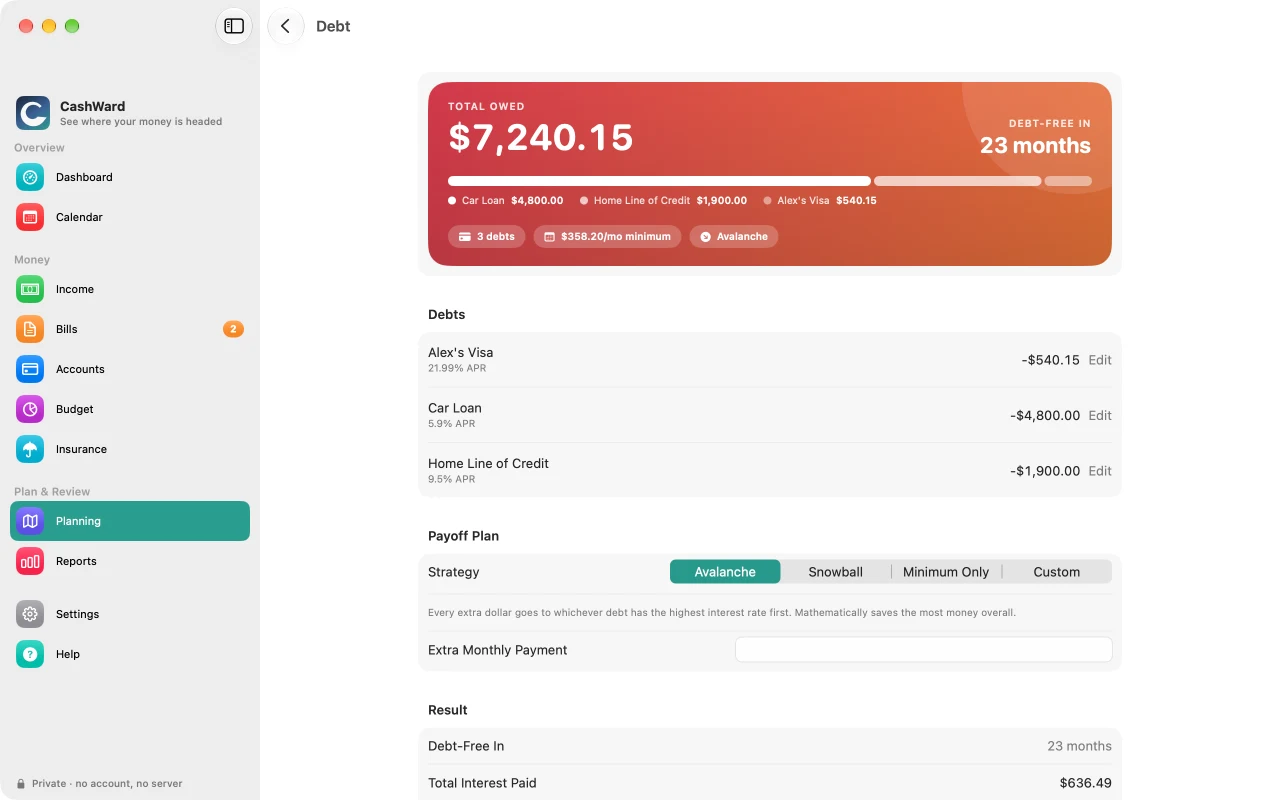
Compare avalanche, snowball, minimum-only, or your own payoff order across every debt at once, with projected payoff dates and total interest.
What-if scenarios
Considering a raise, contract work, or a change in withholding? See the effect on your Financial Horizon and Tax Position first. Nothing is saved until you apply it.
Your devices in step, and a backup you control
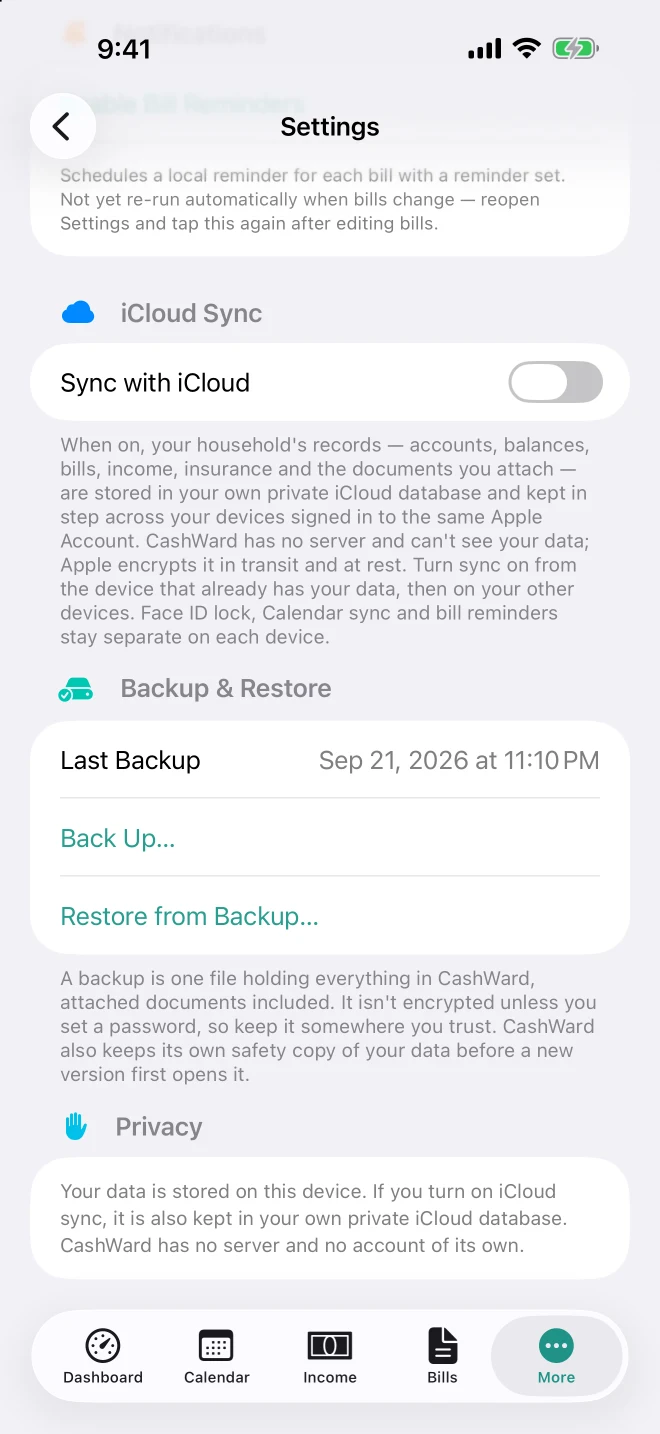
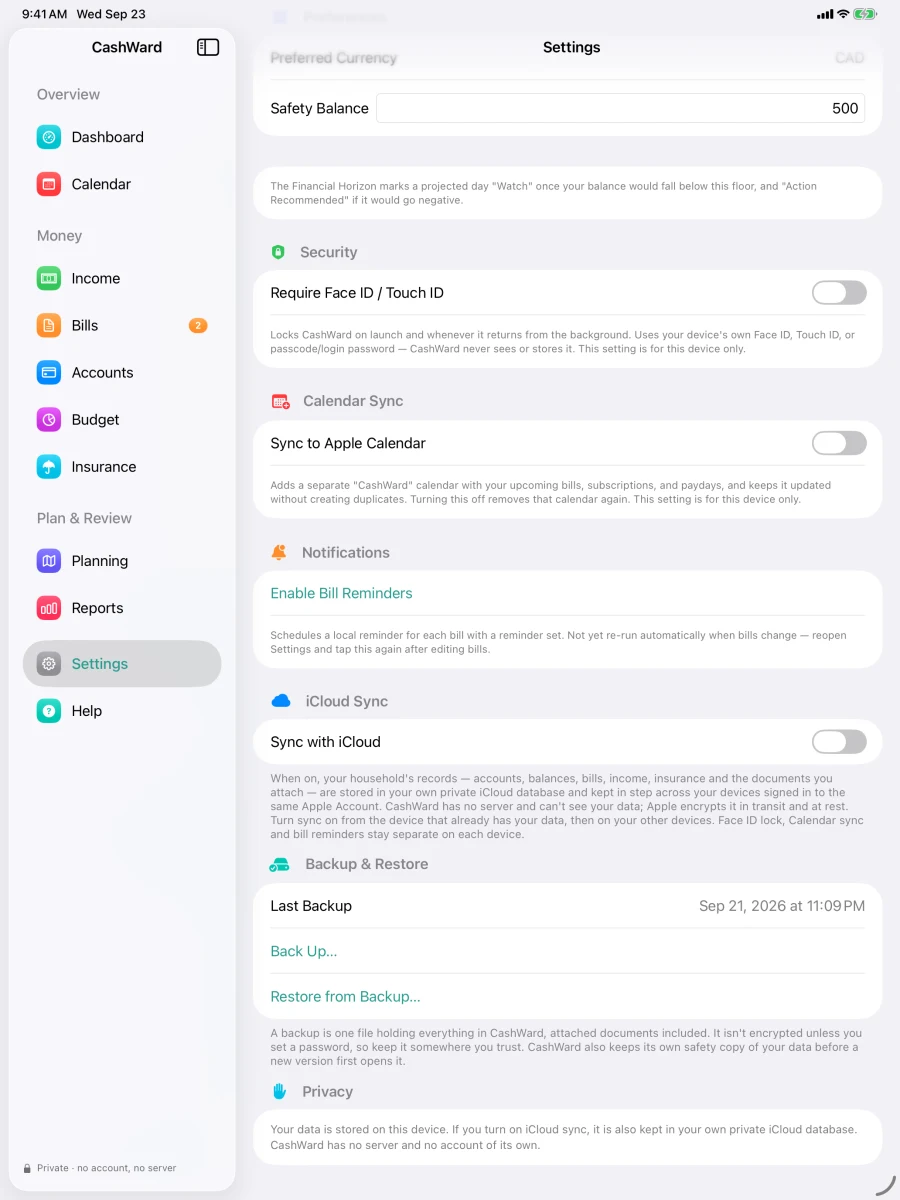
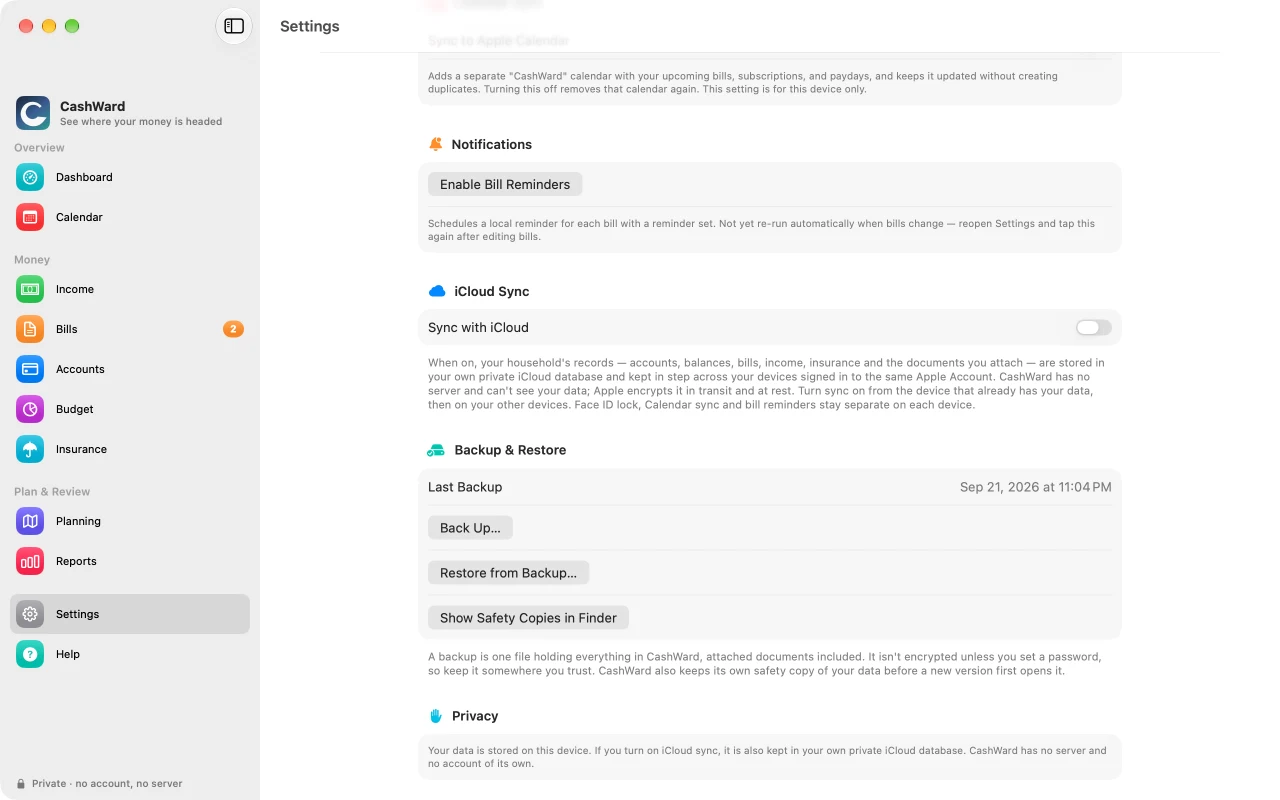
Turn on optional iCloud sync and your iPhone, iPad, and Mac stay in step through your own iCloud — CashWard has no account and no server, and sync is off until you choose it. Prefer to do it by hand? Save your accounts, bills, insurance, and attached documents to a single backup file you keep wherever you like — optionally locked with a password — and restore it on this or another device. CashWard also keeps its own safety copy before every update and restore.
Private by design
Everything you enter stays on your own devices or in a file you choose — and in your own private iCloud only if you turn on the optional sync. There's no account, no server, and no analytics or advertising tracking of any kind. Optional Face ID / Touch ID lock uses your device's own authentication — CashWard never sees it.
Add accounts by hand, or import a CSV, OFX, or QFX statement export from your bank. CashWard never connects to your bank and never asks for banking credentials.
What CashWard isn't. CashWard is planning-first, not a bookkeeping or investment-trading tool. Payroll and tax figures are estimates for planning, not certified calculations or a substitute for filing your taxes. Insurance comparisons use the premiums you enter and aren't insurance advice. Quebec payroll isn't supported yet. iCloud sync between your own devices is optional and off by default.
Screenshots
See CashWard on iPhone, iPad and Mac.
iPhone
9 screens · scroll sideways
Financial Horizon
Dashboard
Insurance
Compare quotes
Attached documents
Budget vs. actual
Debt payoff planning
Calendar
iCloud Sync & Backup
iPad
9 screens · scroll sideways
Financial Horizon
Dashboard
Insurance
Compare quotes
Attached documents
Budget vs. actual
Debt payoff planning
Calendar
iCloud Sync & Backup
Mac
9 screens · scroll sideways
Financial Horizon
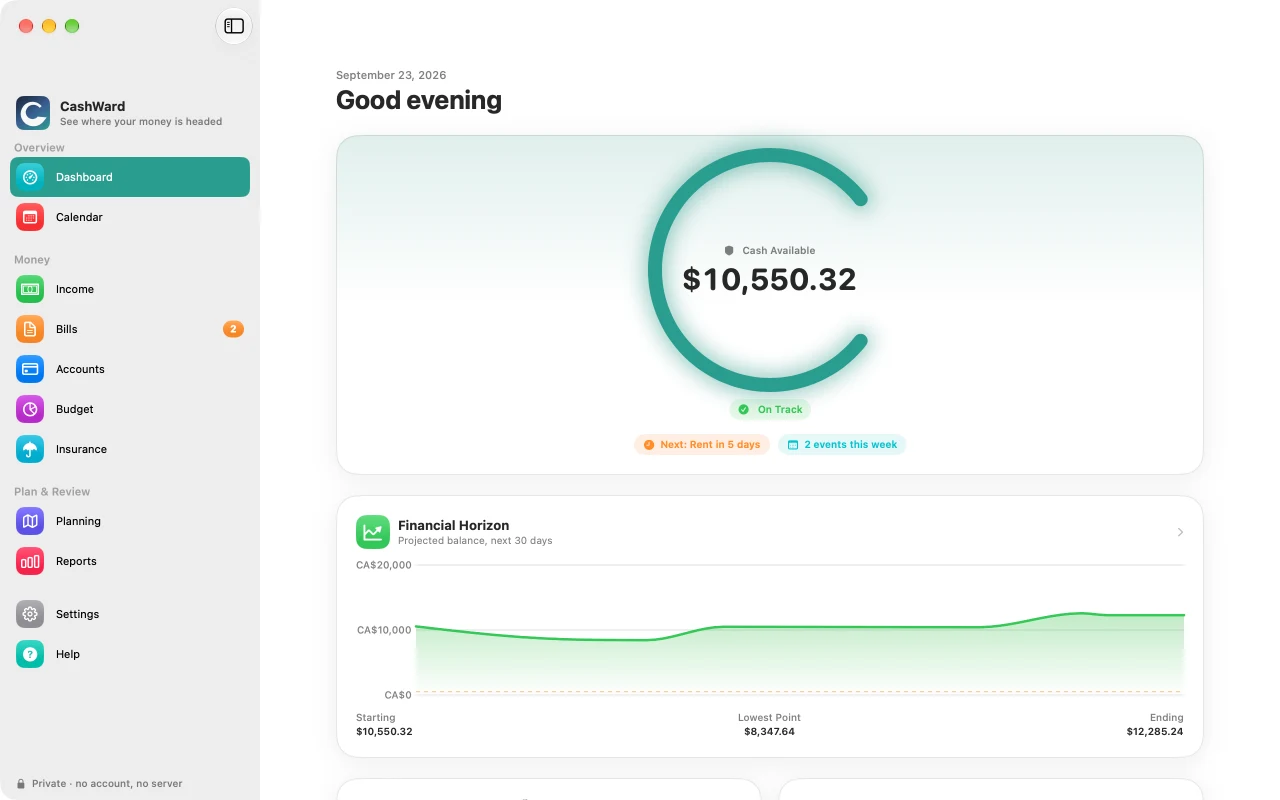
Dashboard
Insurance
Compare quotes
Attached documents
Budget vs. actual
Debt payoff planning
Calendar
iCloud Sync & Backup
Common questions
Good to know before launch.
Does CashWard connect to my bank?
No. CashWard doesn't link to your bank accounts. You enter balances yourself, or import a CSV/OFX/QFX statement file you've downloaded from your bank's own website.
Where is my data stored?
On your device. If you turn on iCloud sync (optional, off by default), it is also kept in your own private iCloud database, which CashWard's developer cannot see. See the privacy policy for full detail, and "How do I move my data to another device?" below.
How do I back up my data?
Settings → Backup & Restore → Back Up…. CashWard writes everything — accounts, bills, income, insurance, and attached documents — into a single backup file and lets you choose where to save it (a drive, a folder in iCloud Drive, or anywhere else your device offers). You can protect it with a password. Settings also shows when you last backed up and reminds you if it's been a while.
How do I move my data to another device?
Make a backup on the first device, get the file to the second (AirDrop, iCloud Drive, a USB drive), and restore it there. This is a one-time copy, not sync: after that, each device has its own data and changes on one don't appear on the other. Restoring replaces whatever was on the second device. To keep your devices in step automatically, turn on iCloud sync under Settings → iCloud Sync (on the device with your data first, then on the others); Restore isn't available while sync is on.
Is CashWard a certified payroll or tax calculator?
No. Payroll and tax figures are estimates based on the CRA's published T4127 formulas, assuming steady pay — they're a planning aid, not a substitute for your actual pay stub, a licensed accountant, or filing your taxes. Quebec payroll/tax rules aren't supported yet and are labeled as such rather than estimated incorrectly.